# Fix Font in VSCode Terminal
1 min read
Table of Contents
The Font Problem in VSCode
After done the configuration in Terminal Mastery: Crafting A Productivity Environment With ITerm, Tmux, And Beyond, we got a nice terminal:
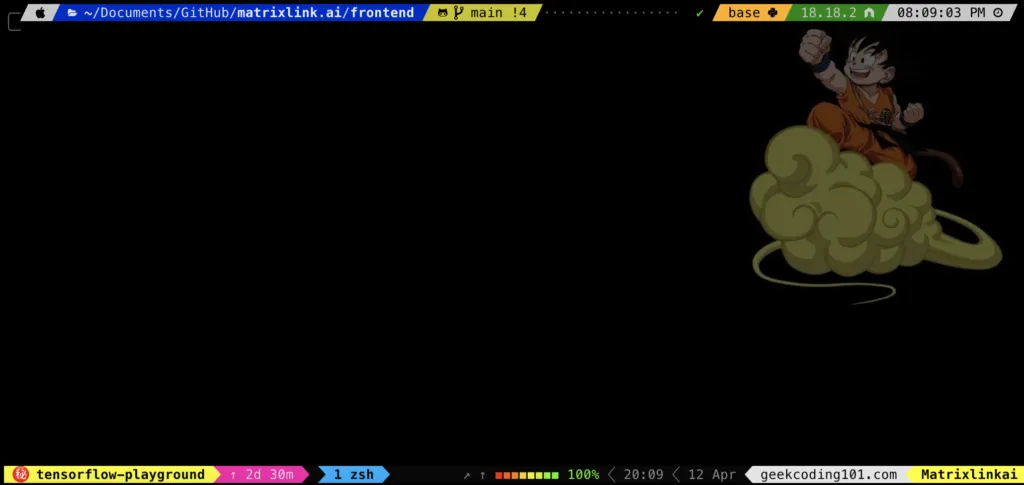
However, after I installed VSCode, the terminal couldn’t display certain glyphs, it looks like this:
The Fix
We need to fix it by updating the font family in VSCode.
1. Identify the name of font family. Open Font Book on Mac, we can see:
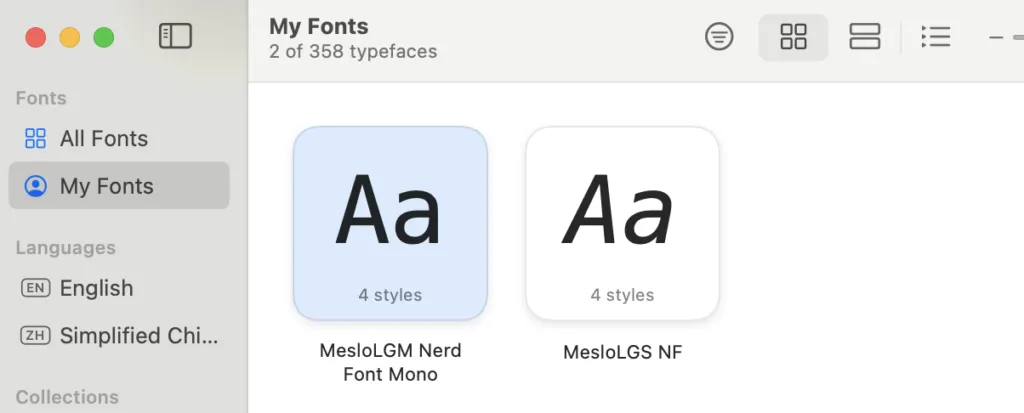
The font supports those glyphs is “MesloLGM Nerd Font Mono”, that’s also what I configured for iTerm2.
2. Go to VSCode, go to Command + comma, go to settings, search “terminal.integrated.fontFamily”, set the font name as below:
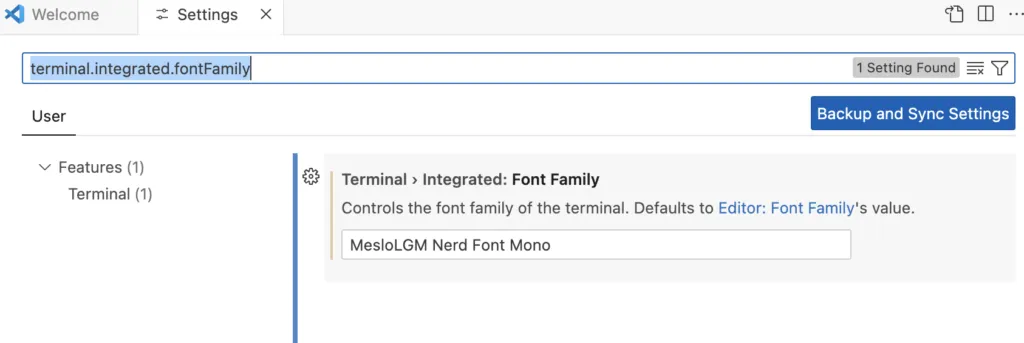
3. Now we can see it displays correctly:
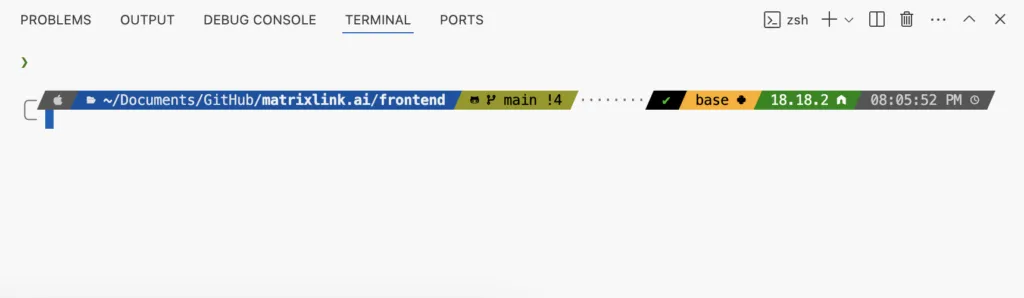
Well done!