GeekCoding101
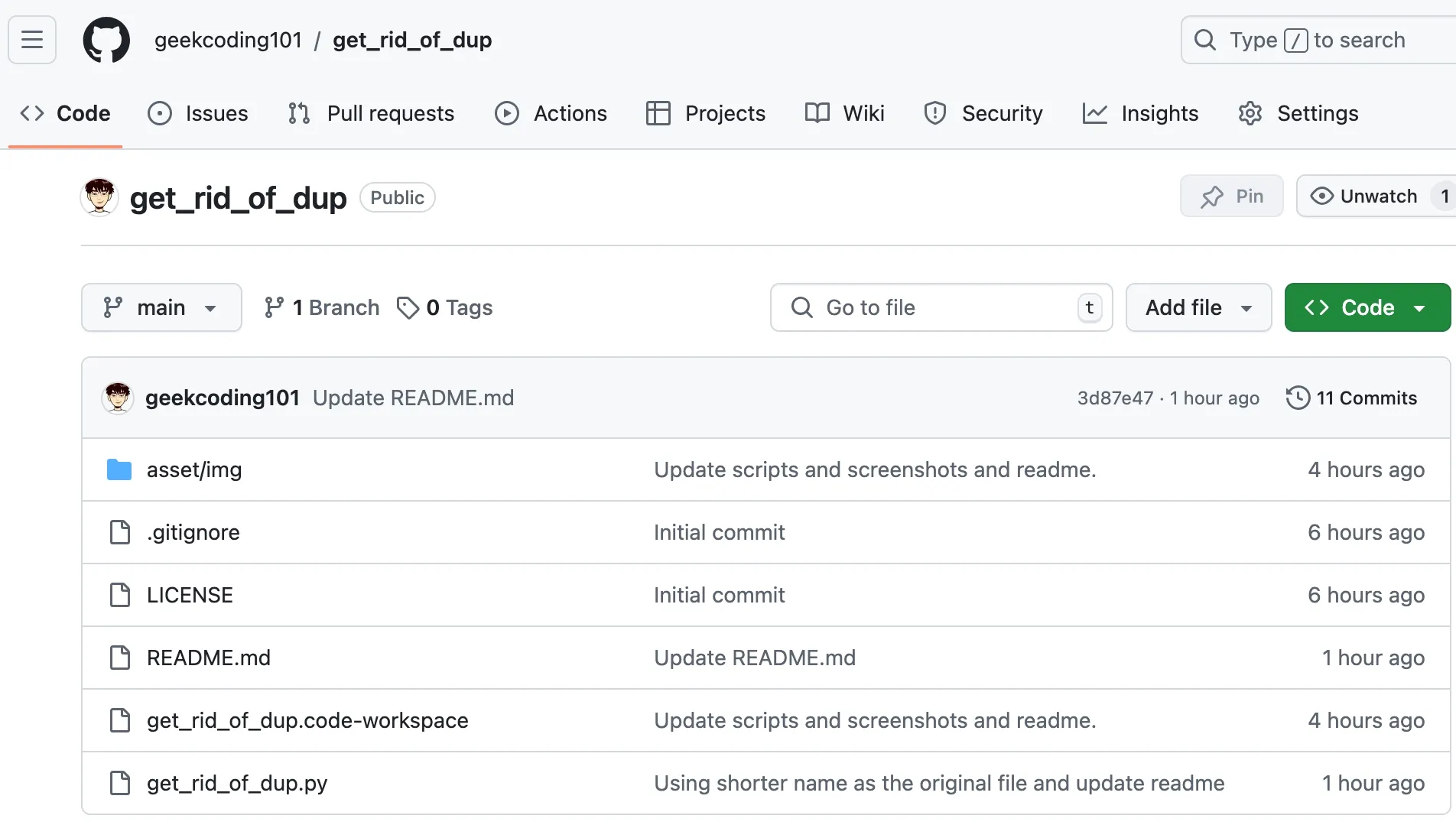
get_rid_of_dup.py is a free, open-source Python command-line script that finds duplicate photos, or any duplicate files, by comparing xxhash checksums. It then deletes the copies and leaves your originals alone. It works inside one folder or across two folders, and it can save checksums so later runs go much faster.
I wrote it over Thanksgiving with a lot of help from ChatGPT, after giving up on cleaning my WD NAS photo library by hand. Below are the commands and how the script decides what to delete. After that comes what building it with an LLM actually took.
GeekCoding101 · Published Dec 2, 2024 · 5 min read
Get the script: github.com/geekcoding101/get_rid_of_dup
On this page
- Quick start
- How the script works
- Commands at a glance
- Before you delete anything
- Performance
- Why I wrote it
- Building it with ChatGPT: what it really took
- FAQ
Quick start
-
Clone or download the repo from GitHub.
-
Make sure you have Python 3 and the
xxhashlibrary. The script usesxxhashfor its checksums. Install it withpip install xxhashif you don’t have it. -
Find duplicates inside one folder:
Terminal window python get_rid_of_dup.py dedup --base-dir ./photos --max-width 50 --verbose -
Or compare a folder of originals against a second folder, such as an old backup, and clean up the second one:
Terminal window python get_rid_of_dup.py search --base-dir ./originals ./backup --max-width 50 --verbose --exclude "*.DS_Store"python get_rid_of_dup.py checksum --base-dir ./originals ./backuppython get_rid_of_dup.py delete --base-dir ./originals ./backup
How the script works
The script reads each file, computes an xxhash checksum of its contents, and groups files with identical checksums as duplicates. xxhash is a fast non-cryptographic hash. That makes it a good fit for comparing tens of thousands of files, where speed matters more than cryptographic strength.
It has two ways of working.
Single-folder mode (dedup)
This mode finds duplicates within one folder. When several files are identical, the script treats the one with the shortest file name as the original. That keeps IMG_1234.jpg instead of IMG_1234 (1).jpg or IMG_1234 copy.jpg.
python get_rid_of_dup.py dedup --base-dir ./photos --max-width 50 --verbose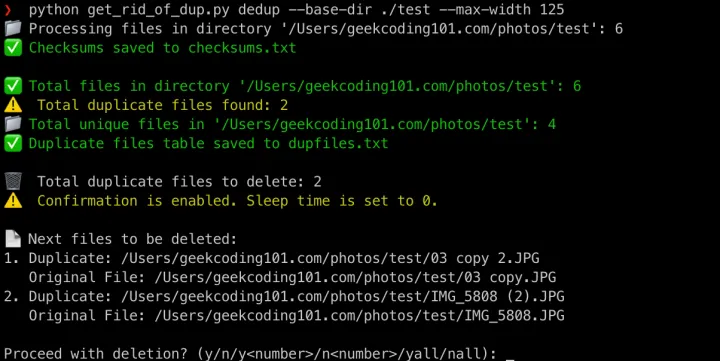
Cross-folder mode (search, checksum, delete)
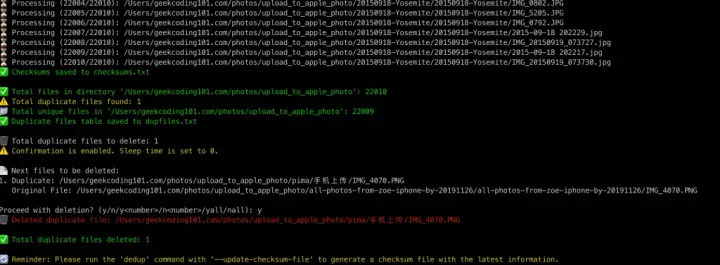
This mode compares two folders. The first folder after --base-dir is the reference, and the script never touches it. Duplicates are cleaned out of the second folder only. That makes it a good fit for “I have my real library here and three old copies over there.”
python get_rid_of_dup.py search --base-dir ./test ./others --max-width 50 --verbose --exclude "*.DS_Store"python get_rid_of_dup.py checksum --base-dir ./originals ./backuppython get_rid_of_dup.py delete --base-dir ./originals ./backup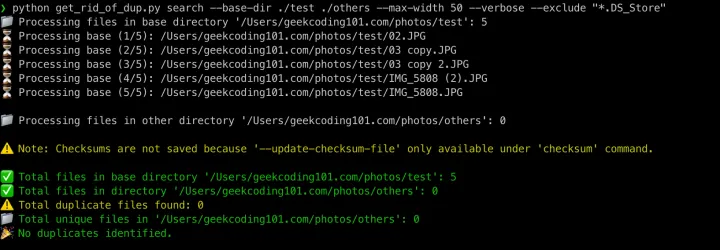

Commands at a glance
| Command | What it does | Example |
|---|---|---|
dedup | Finds duplicates inside one folder and keeps the shortest-named file as the original | python get_rid_of_dup.py dedup --base-dir ./photos --verbose |
search | Finds files in the second folder that duplicate files in the base folder | python get_rid_of_dup.py search --base-dir ./photos ./comparison --max-width 100 |
checksum | Generates and saves checksums so later runs can reuse them | python get_rid_of_dup.py checksum --base-dir ./photos ./backup |
delete | Deletes the duplicates from the second folder and leaves the base folder untouched | python get_rid_of_dup.py delete --base-dir ./photos ./backup |
Useful options:
| Option | Use |
|---|---|
--base-dir | The folder (or folders) to work on. In cross-folder mode, the first one is the reference. |
--verbose | Prints more detail while it runs. |
--exclude "*.DS_Store" | Skips files matching a pattern, such as macOS .DS_Store files. |
--skip-existing | Helps fit the script into repeat runs and different workflows. |
--max-width | Used in the examples above with values like 50 and 100. |
Before you delete anything
- It finds exact copies, not look-alikes. Checksums match only when two files are byte-for-byte identical. A resized, re-edited or re-exported version of a photo has a different checksum, so the script won’t flag it.
- Your base folder is safe in cross-folder mode. Only the second folder is cleaned.
- In single-folder mode, the shortest name wins. Check that this rule suits your naming before you remove anything.
- Run
searchfirst and read the output. Delete only when the list looks right. - Keep a backup. Deleting files is permanent, especially on a network share.
- It isn’t limited to photos. The script compares file contents, so it works on any file type.
Performance
On my library, scanning 30,000+ files, including large images, took under a minute. That’s faster than making a coffee. Because the checksum command saves checksum data, later runs can skip recomputing it and finish much faster.
A tip from experience: I first worked on the NAS through an SMB mount on my MacBook, and it was painfully slow. Copying the files to local disk first made everything far quicker.
Why I wrote it
Thanksgiving usually means food, family and laughter. This year it also meant facing a huge library of duplicate photos on my WD NAS.
I mounted the NAS SMB share on my MacBook and spent two days copying files, then started reviewing them by hand. My eyes hurt, my patience ran out, and I knew there had to be a better way.
The existing “remove duplicate photos” tools didn’t help much. Most were paid, overly complex, or just didn’t fit what I needed. Even the free options expected me to stitch together commands like find. So I did what any tech enthusiast does: I wrote my own, with a “little” help from ChatGPT.
Building it with ChatGPT: what it really took
I’d tried scripting this years ago and gave up because of the time it needed. This time I had ChatGPT (no marketing here… I’m a paid user, though).
Warning: I thought I could finish this script in two hours with ChatGPT’s help. I spent almost the entire day on it! So those posts claiming you can build an iOS app in two hours? Be sceptical.
Still, I’m grateful LLMs exist. Judging by how much code there is and how good it is, I’d estimate this would have taken me 10 to 15 days alone. That’s about a tenfold speed-up for me, and it saved me from plenty of dead ends.
What stood out:
- It teaches as it writes. For non-coders, ChatGPT makes programming less mysterious. For experienced developers, it speeds up the workflow and suggests ideas you might not have tried.
- “Too complex to script” became doable. With its help I handled fiddly logic, performance tuning and error handling much faster than I would have alone.
- It takes the repetitive parts. That leaves you free to focus on the design decisions, like which file counts as the original.
If you’re stuck with file clutter, or any repetitive chore, Python plus an LLM can turn it into a satisfying win.
FAQ
Does it find similar photos, or only exact duplicates? Only exact duplicates. It compares file checksums, so a resized or edited copy of a photo has a different checksum and won’t be flagged.
Will it delete my original photos?
In cross-folder mode, no. The first folder after --base-dir is the reference and is never cleaned. In single-folder mode, it keeps the file with the shortest name as the original. Either way, run search first and keep a backup.
Can I use it on a NAS? Yes. I used it on photos from a WD NAS. Working over an SMB mount was very slow for me, so copying the files to local disk first is worth it.
Why xxhash instead of MD5 or SHA? xxhash is built for speed. For spotting identical files on your own disk, you don’t need cryptographic strength, and a fast hash makes large libraries quick to scan.
Is the script free? Yes. It’s open source on GitHub: geekcoding101/get_rid_of_dup.
Thanks for reading! Grab the script on GitHub, and feel free to browse the other posts on GeekCoding101.