GeekCoding101
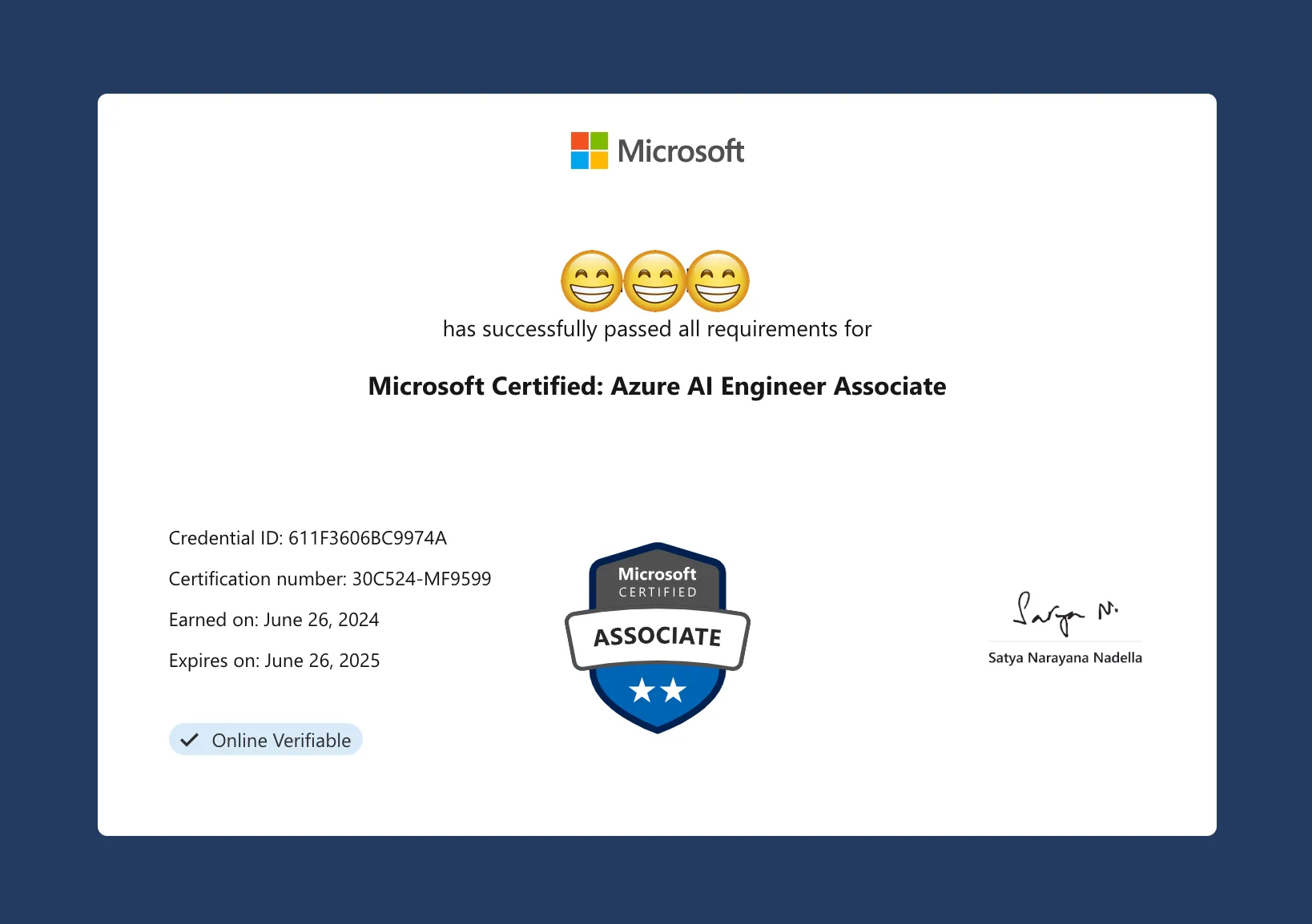
I passed Microsoft’s AI-102 exam and earned the Azure AI Engineer Associate certification on June 26, 2024, with a score of 768. My prep was a four-and-a-half-day company training with labs, Microsoft Learn, John Savill’s YouTube videos and Areeb Pasha’s AI-102 notes on Notion. Here’s what I studied, how I booked the exam, and what the online exam day was really like. 🎉
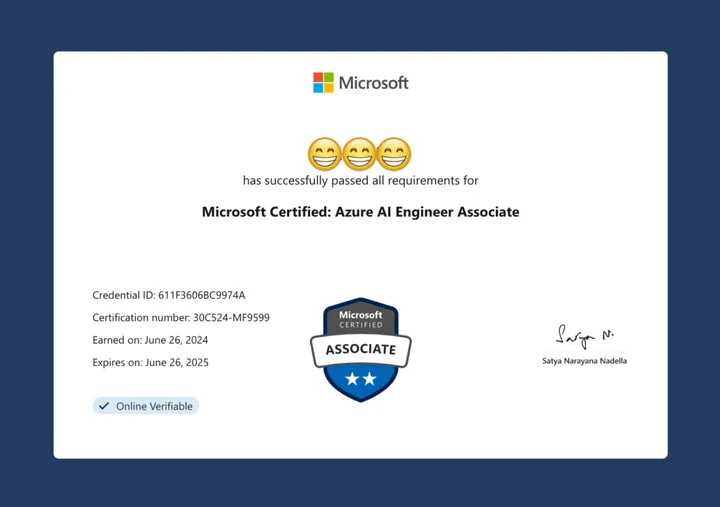
Note: This is my experience from June 2024. Exam content and rules can change, so check the current AI-102 study guide on Microsoft Learn before you plan your prep.
My AI-102 prep at a glance
| What | Details |
|---|---|
| Training | 4.5-day company-provided AI-102 course (online classes + labs) |
| Labs | About 10 labs, each repeatable up to 10 times, 1–3 hours per session |
| Lab time I used | About 20 hours (of roughly 100–200 hours available) |
| Main self-study | Microsoft Learn: Designing and Implementing a Microsoft Azure AI Solution |
| Final review | John Savill’s Technical Training videos (watched once), Areeb Pasha’s AI-102 Notion notes |
| Exam format | Online proctored, via OnVUE |
| Result | 768, a pass |
How I studied for AI-102
The training course and labs
My journey began with a four-and-a-half-day AI-102 training session provided by my company. It was a mix of online classes and labs. I was actually on vacation during this period, so I probably only managed to focus for about three days.
The labs were the most useful part. There were about 10 of them. Each could be run up to 10 times, and each session lasted 1 to 3 hours. That meant I didn’t need to pay Microsoft for my own Azure environment just to get familiar with Azure AI services.
Roughly calculated, the training offered 100 to 200 hours of lab time. I used only about 20 hours before the exam.
Microsoft Learn to fill the gaps
After the training, I mainly stuck to the Microsoft Learn path Designing and Implementing a Microsoft Azure AI Solution to fill gaps. Trust me, it’s really helpful! The MS Learn modules helped me understand the concepts much better.
Cramming: John Savill’s videos and Areeb Pasha’s notes
As the exam date got closer, I skimmed John Savill’s Technical Training videos on YouTube once. They helped me build a complete knowledge framework in my head, and one pass was enough for me.
Last but not least, please do read Areeb Pasha’s AI-102 notes on Notion! They’re like a concise version of MS Learn and made my studying very efficient. I covered all the important points quickly. Thanks, Areeb!
Booking the AI-102 exam: harder than expected
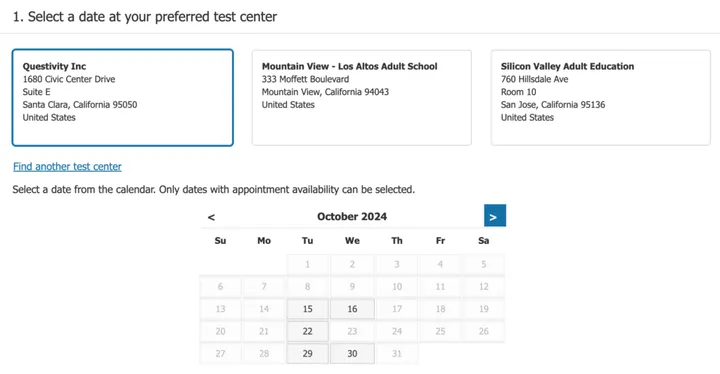
Scheduling the exam was a challenge in itself. Booking an in-person exam at a nearby test center within three weeks was nearly impossible. I checked every exam center online with no luck.
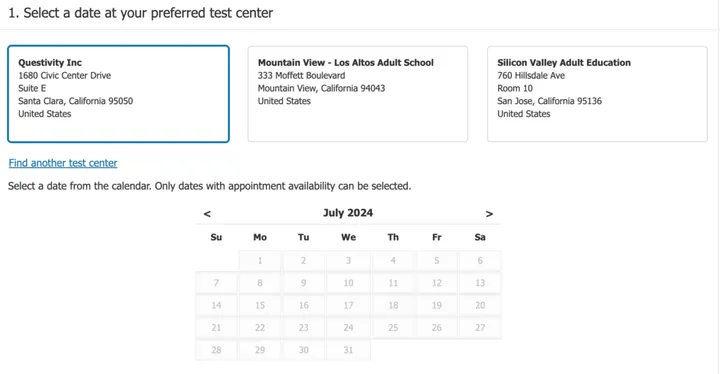
The earliest in-person slot was in October!
So I switched to an online exam. The earliest online slots were at 5 AM, with only one slot per day. After a lot of searching, I found a slot 10 days out. I’d be out of town for a couple of those days, too (remember, I was still on vacation).
My timeline ended up like this:
- Joined the 4.5-day training
- Scheduled the exam
- Went on vacation for several days
- Came back and crammed for three days
- Took the exam
Tip: If you need a specific date, check test center and online availability early. Slots near me were far scarcer than I expected.
Exam day: taking AI-102 online with OnVUE
My exam was at 8:15 AM, and I logged into OnVUE 30 minutes early as advised. That was a good call, because there was a lot to do before the exam started:
- Tidy the room. First, I had to clean up my room…
- ID check. You verify your identity before you start.
- Room scan. I had to use my webcam to show every corner of my desk, which was quite tricky. Spoiler: all my photos came out crooked.
- Clear desk. No paper or pen is allowed. My proctor even made me remove a sheet of white sketch paper and a pencil. In the end it was just my computer and a bottle of water on the table.
During the exam: time management and MS Learn
The first question was a massive use case, like getting hit with a wall of text. I got through it, and then some easier questions helped me relax 😌.
Time management was my big issue. Did I mention you can use Microsoft Learn during the AI-102 exam? Yes! But it’s not as helpful as it sounds. MS Learn is not ChatGPT, and it’s easy to get overwhelmed. It works for checking a fact if you already know where to find it. I used it too much to double-check and search for answers.
With 6 minutes left and 4 questions to go, I panicked and quickly picked answers for the remaining questions. Then, with a mix of excitement and nerves, I hit “submit” like I was launching a rocket.
The result: 768, a pass!
Drumroll, please… 768! I passed!
It was a close call, but I did it. The whole journey was a mix of hard work, a lot of stress and a bit of fun, and I’m glad I did it.
What I’d do differently
- Use more of the lab time. I used about 20 of the 100–200 available hours. More hands-on practice would have helped.
- Treat MS Learn in the exam as a fact-checker, not a search engine. Only look things up when you know exactly where the answer lives.
- Watch the clock from the first question. Long case-study questions eat time fast.
- Book early. Exam slots can be weeks or months out.
How AI-102 fits my AI learning path
My AI journey started at a company hackathon the year before. I built a RAG chatbot, integrated it into our product portal, and it got strong attention from the leadership team. After that I went deep into LLM, agent and RAG technologies and kept improving the hackathon project. I also spent around 30 hours on Andrew Ng’s Supervised Machine Learning course and passed it.
I’m eager to apply these skills to more AI and cloud work. If you’re on a similar path: keep learning, stay focused, and you’ll get there too. Good luck!
FAQ
What did I use to study for AI-102? A 4.5-day company training with labs (about 20 hours of lab time used), the Microsoft Learn path Designing and Implementing a Microsoft Azure AI Solution, John Savill’s Technical Training videos on YouTube, and Areeb Pasha’s AI-102 notes on Notion.
Can you use Microsoft Learn during the AI-102 exam? In my June 2024 exam, yes. It’s only useful for quick fact checks when you know where to look, and searching it can cost you a lot of time.
Are paper and pen allowed in the online exam? No. My proctor had me remove even a blank sheet of paper and a pencil. Only my computer and a bottle of water stayed on the desk.
How early should you log in to an online proctored exam? I logged in 30 minutes early, and I needed that time for the room tidy-up, ID check and webcam room scan.
What score did I get? 768, which was a pass, though a closer call than I’d have liked.
Thanks for reading! Questions or feedback? Reach out via the contact page.