GeekCoding101
DeepSeek Harness (dsh) is DeepSeek’s open-source, MIT-licensed agent harness: a coding agent with a Web UI, a one-shot CLI mode, and SDKs, where every part (the model adapter, the tools, the sandbox, the session log and even the agent loop) is a swappable plugin. I installed version 0.2.2-rc.3 on a Mac, took its plugin tree apart, wrote my own tool for it, and captured exactly what one request carries to the official DeepSeek API.
Why Everyone Is Talking About It
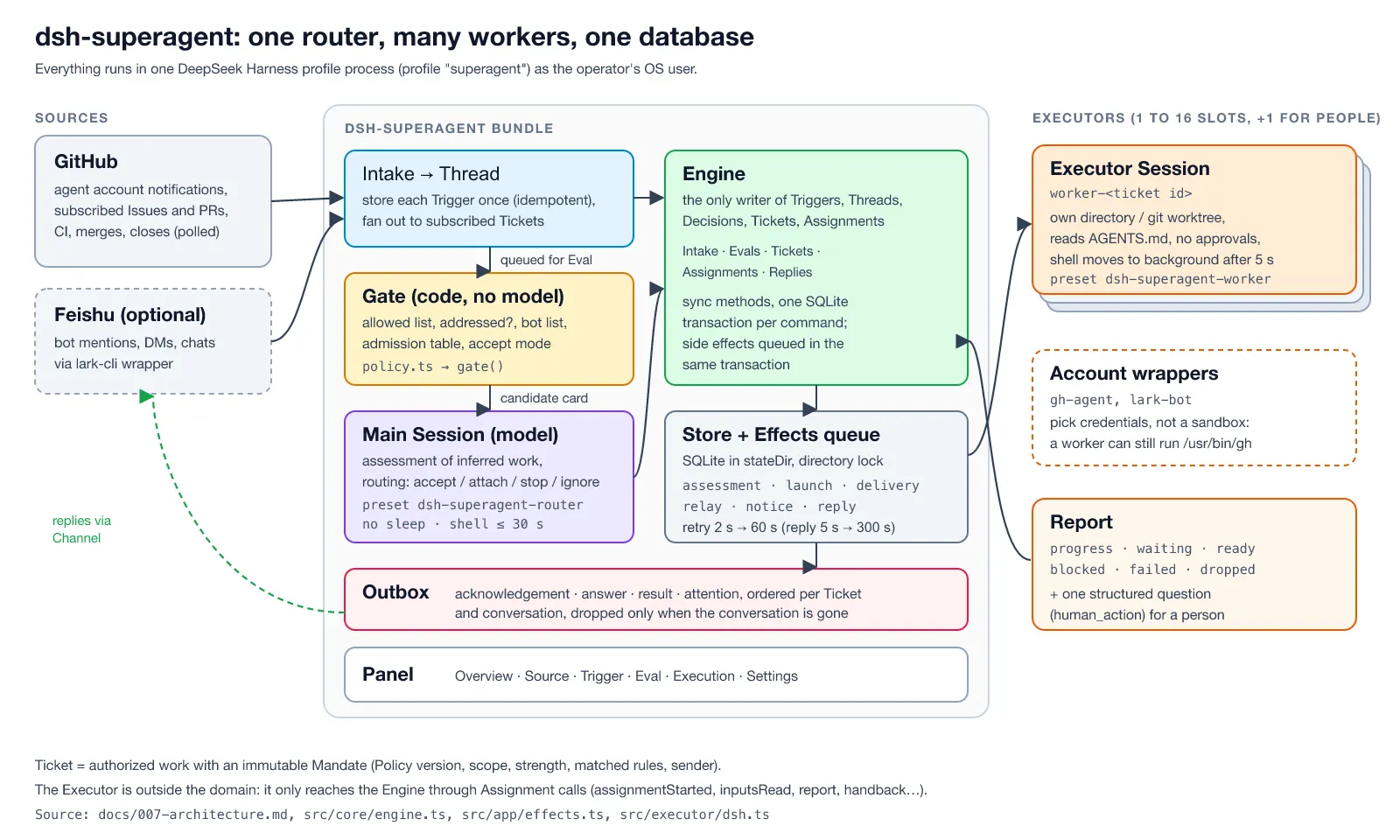
deepseek-ai/deepseek-harness went public on August 13, 2026 with a one-line pitch, “Everything is a Plugin”, and by November 16 it had about 282,000 stars and 35,000 forks on GitHub. It is DeepSeek’s answer to Claude Code and Codex: a local agent that reads and edits your files, runs commands, delegates to subagents, and keeps a plan. Two weeks ago I wrote about dsh-superagent, the proactive GitHub agent DeepSeek built on top of this harness. This post is about the harness itself.
Most write-ups I found stop at npx @deepseek-ai/dsh web and a screenshot of the chat. I wanted the parts you only see when you poke at it: what “everything is a plugin” means in numbers, whether you can really add your own plugin to an npm install, how the permission modes behave, and what leaves your machine. The last one turned out to be the most interesting finding.
What I Got, in Numbers
| Result | |
|---|---|
| Version tested | @deepseek-ai/dsh 0.2.2-rc.3 (npm next tag; latest is still 0.2.2-rc.1) |
| Install | 26 seconds, 1.3 GB on disk, 340 @deepseek-ai/* packages |
| Plugins in the default Web profile | 299 plugin entries from 210 packages, 29 of them off by default |
| Our own tool plugin | loaded into an npm install with one YAML patch (after one import gotcha) |
| Permission presets | 3: read-only, workspace-write (default), danger-full-access |
| One “say hi” request to the official API | about 60 KB, half of it a dsh_session_log field holding the session so far |
| Session-log upload | on by default; one switch in Settings, or one line of YAML, turns it off |
| Retries on a server error | 5, by default |
The rest of the post explains each row:
- Hands-on: install, the profile on disk, the Web UI, headless mode, the permission presets, and writing a plugin.
- What a request carries: a wire capture of the two extra fields DeepSeek adds to every official API call, and how to switch them off.
- Architecture, from the code: Cordis, profiles and bundles, the turn loop, and the tool pipeline.
- The threat model: what the sandbox does and does not cover on macOS.
Hands-On: Running DeepSeek Harness on a Mac
What I Used
| Piece | Version |
|---|---|
| Mac | Apple Silicon |
| Node.js | 24.18 (dsh requires Node 24.9 or newer) |
| DeepSeek Harness | @deepseek-ai/dsh 0.2.2-rc.3 from npm |
| Test repository | a throwaway git repo with a tiny Python package, textkit, two planted bugs and an AGENTS.md |
| Harness home | a scratch DSH_HOME under /tmp, so nothing touched ~/.dsh |
Step 1: Install It
The README’s quick start is npx @deepseek-ai/dsh web. I wanted a pinned version in a folder I could delete, so I installed it into a prefix:
export DSH_HOME=/tmp/dsh-lab/home # keep the lab away from ~/.dshnpm i --prefix /tmp/dsh-lab/cli @deepseek-ai/dsh@0.2.2-rc.3alias dsh=/tmp/dsh-lab/cli/node_modules/.bin/dshnode -v; dsh --version; dsh --help | head -40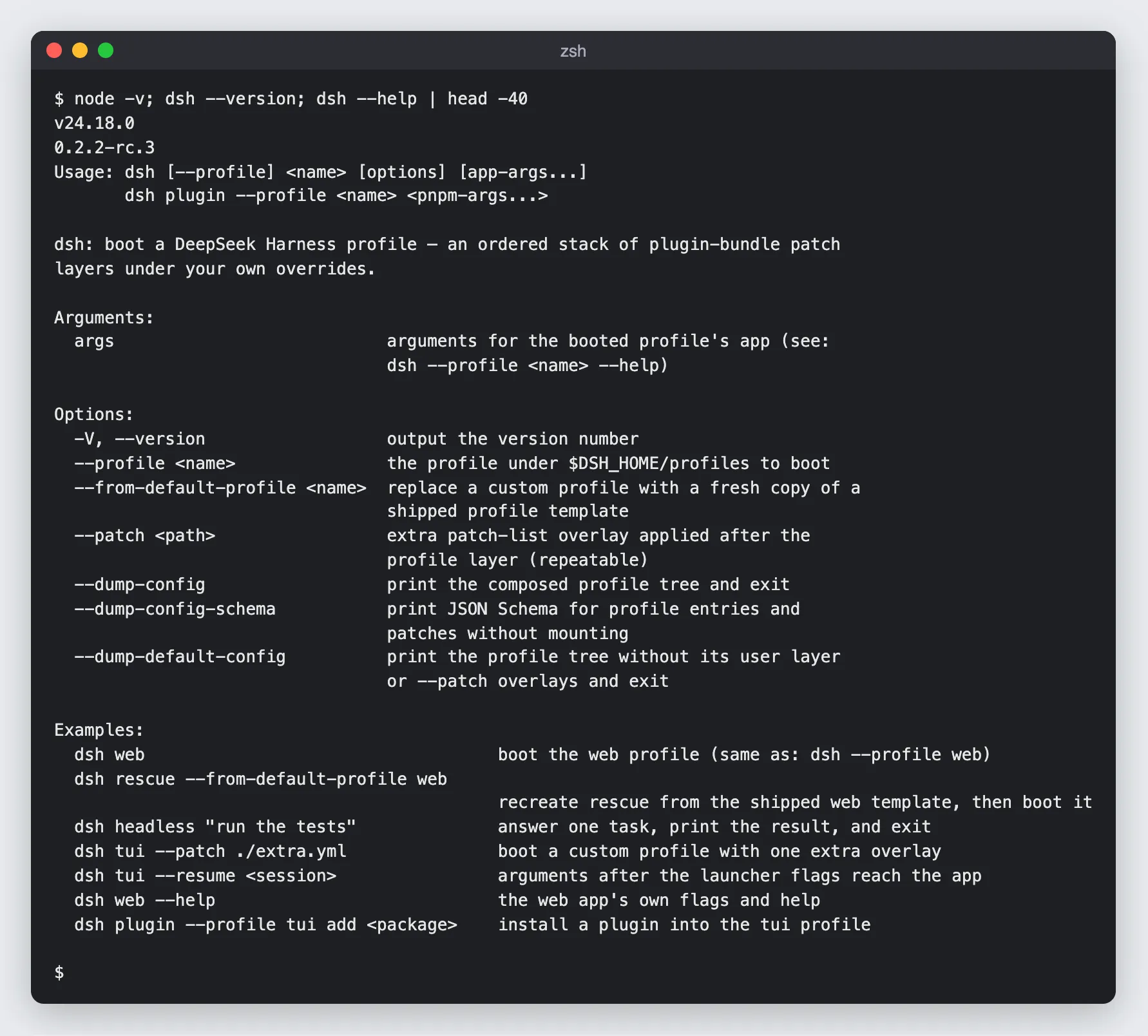
Two things to know before you start:
- It’s big. The install took 26 seconds and 1.3 GB, of which 1.1 GB is 340
@deepseek-ai/*packages. That is what “everything is a plugin” looks like innode_modules. - npm skipped some install scripts. npm 11 printed
allow-scriptswarnings and did not run the install scripts ofnode-pty,@google/genaiandprotobufjs(“Runnpm approve-scripts --allow-scripts-pendingto review”). The Web UI and headless mode worked anyway;node-ptymatters only for the terminal features, which I didn’t test.
dsh itself is only a launcher. Everything after it names a profile: dsh web boots the web profile, dsh headless "task" boots headless, and there are sdk, sdk-minimal and acp profiles for the Python and TypeScript SDKs and the Agent Client Protocol.
Step 2: Count the Plugins
--dump-config prints the composed plugin tree without booting it. For the Web profile that’s 1,288 lines of YAML:
dsh --profile web --dump-config | head -60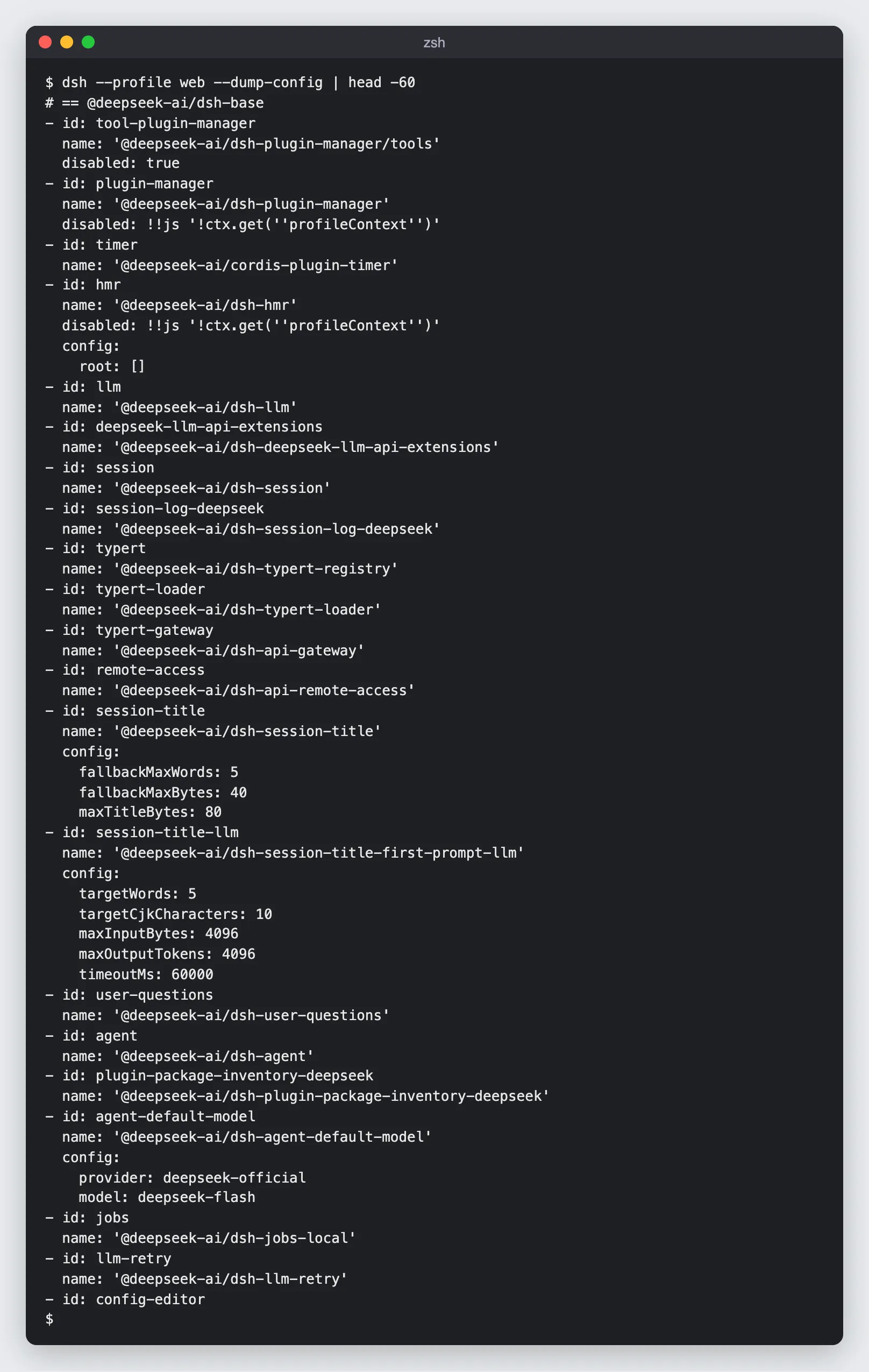
Every row is one plugin: an id, a package name, and optional config and disabled. Counting them:
dsh --profile web --dump-config | grep -cE "^ *name: '@" # plugin entriesdsh --profile web --dump-config | grep -oE "name: '@[^']+" | sort -u | wc -l # unique packagesdsh --profile web --dump-config | grep -c 'disabled: true' # off by default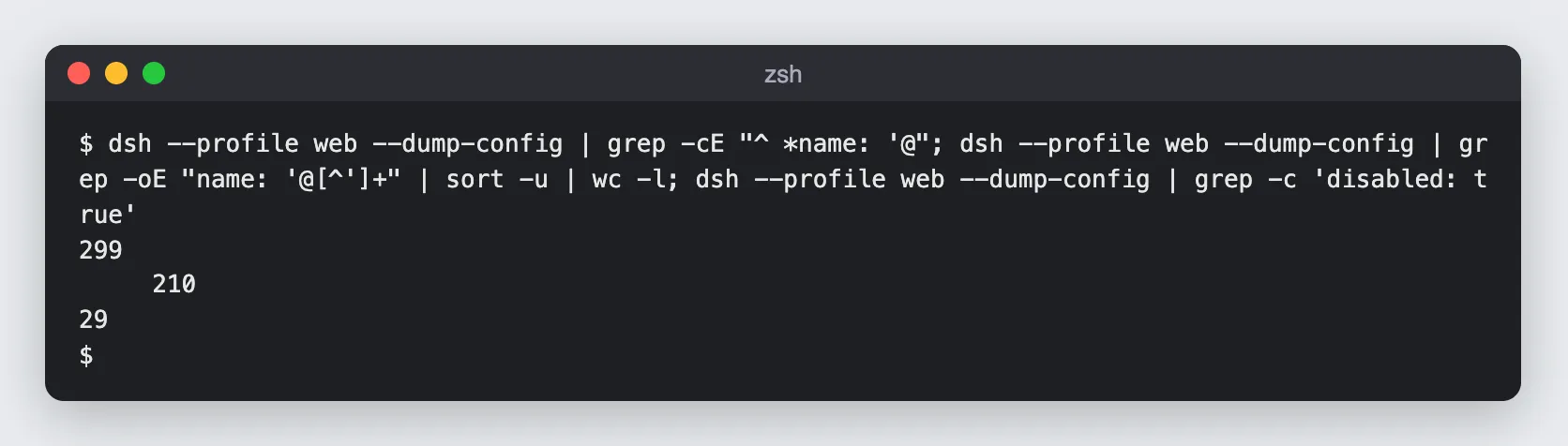
299 plugin entries from 210 packages, 29 of them switched off. And it really is everything. The default model is a plugin row:
- id: agent-default-model config: provider: deepseek-official model: deepseek-flashSo are the permission presets, the sandbox, the AGENTS.md loader, the session-title generator, telemetry, and the two plugins I’ll capture on the wire later.
Step 3: What a Profile Is on Disk
The first command that touches a profile creates it under $DSH_HOME/profiles/:
ls $DSH_HOME/profiles/webcat $DSH_HOME/profiles/web/package.json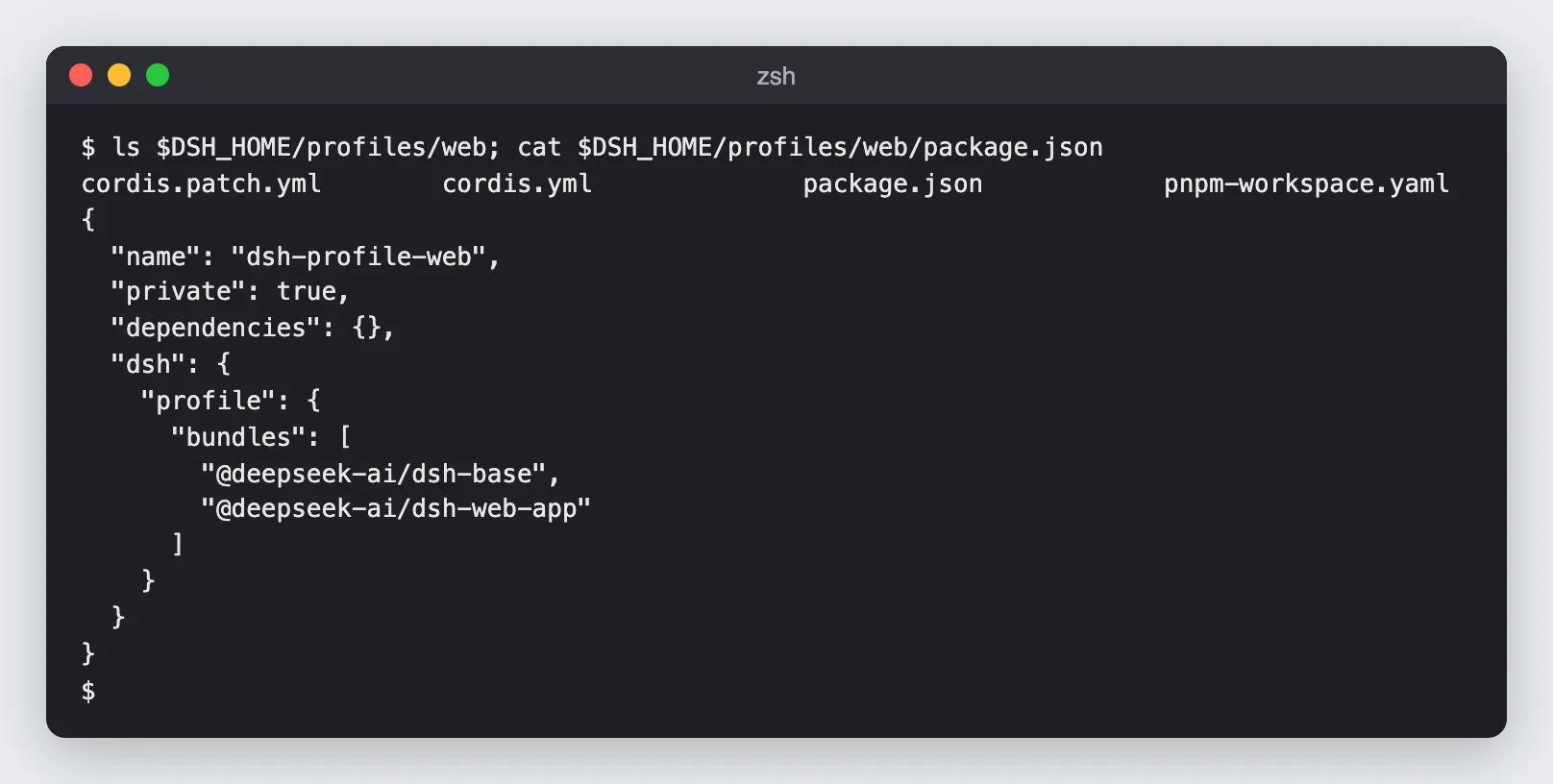
Four files. package.json says the profile is two bundles stacked in order, @deepseek-ai/dsh-base and then @deepseek-ai/dsh-web-app. cordis.yml is an empty list with a comment telling you not to edit it. The file you edit is cordis.patch.yml: your own layer on top of the bundles. The dumped tree even labels where each row came from (# == @deepseek-ai/dsh-base, patched by @deepseek-ai/dsh-web-app). I’ll come back to how these layers compose; for now the useful fact is that you change dsh by writing a patch, not by forking it.
Step 4: The Web UI
cd /tmp/dsh-lab/textkitdsh web --no-open --port 3080It prints exactly one line, the address with a one-time token: dsh web: http://127.0.0.1:3080/?token=…. Open it and the page strips the token from the URL. The first screen is a preview notice:
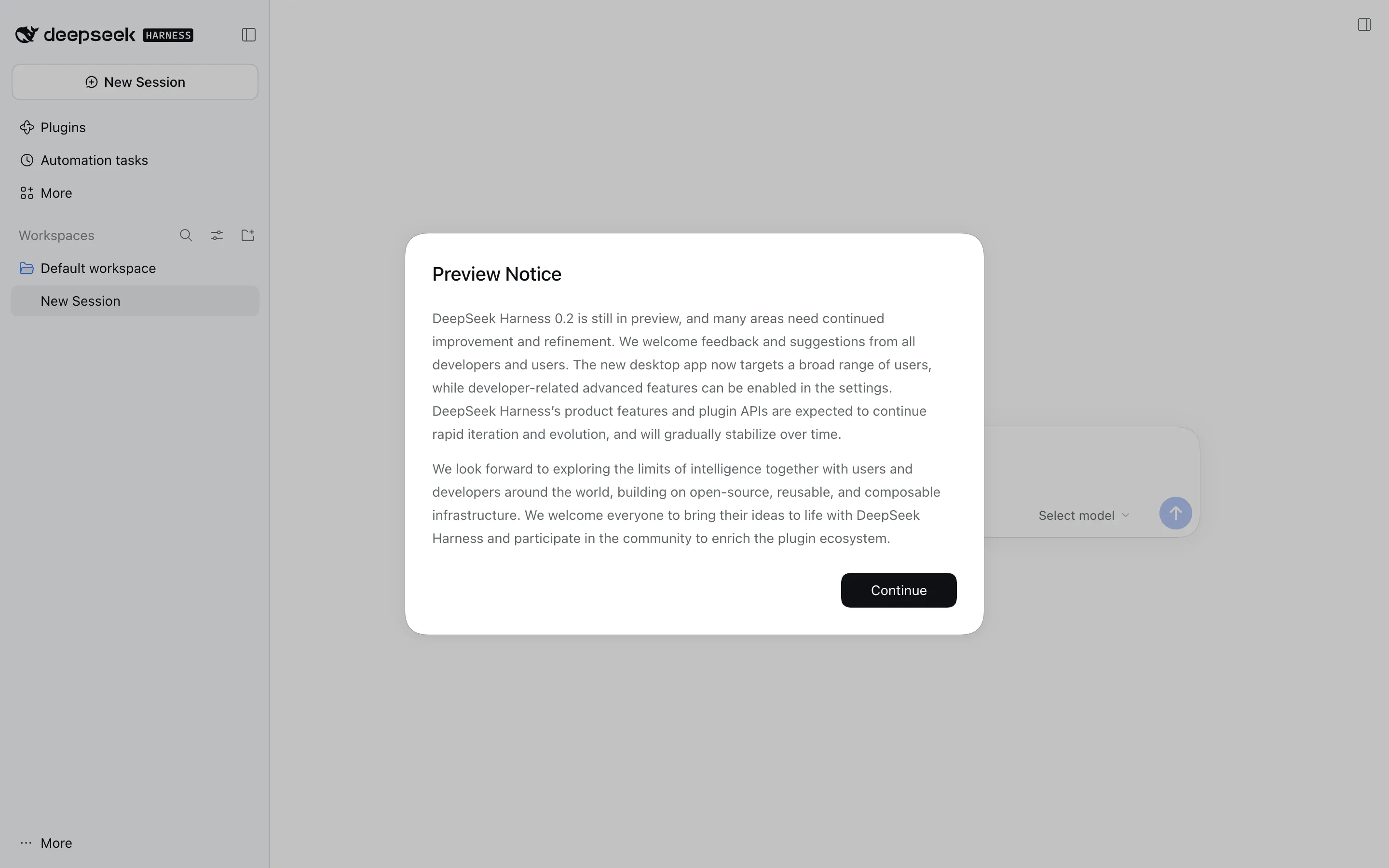
Then a “Get started” dialog with two ways in: Add API Key (a key from the DeepSeek platform) or Sign in with a DeepSeek account:
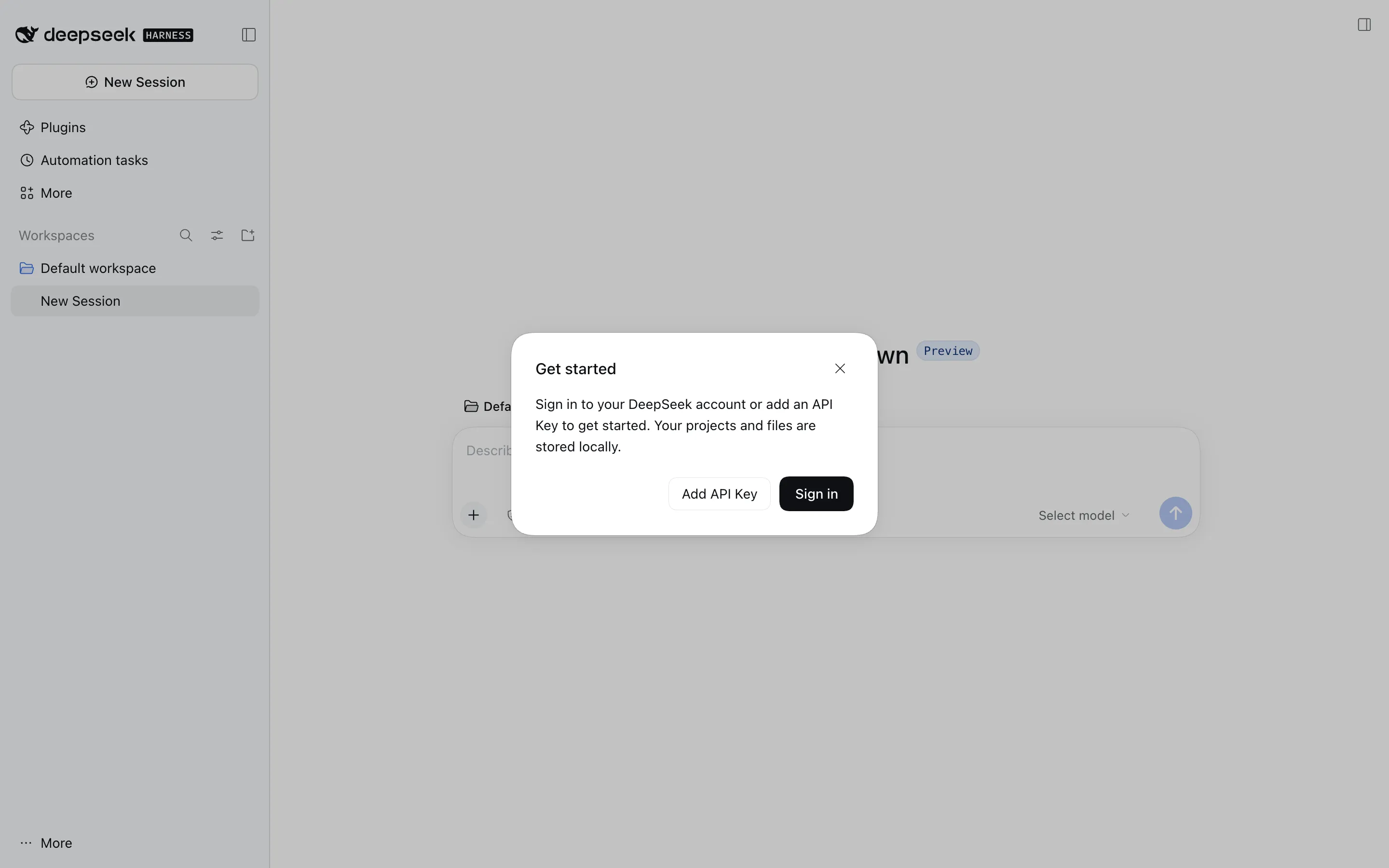
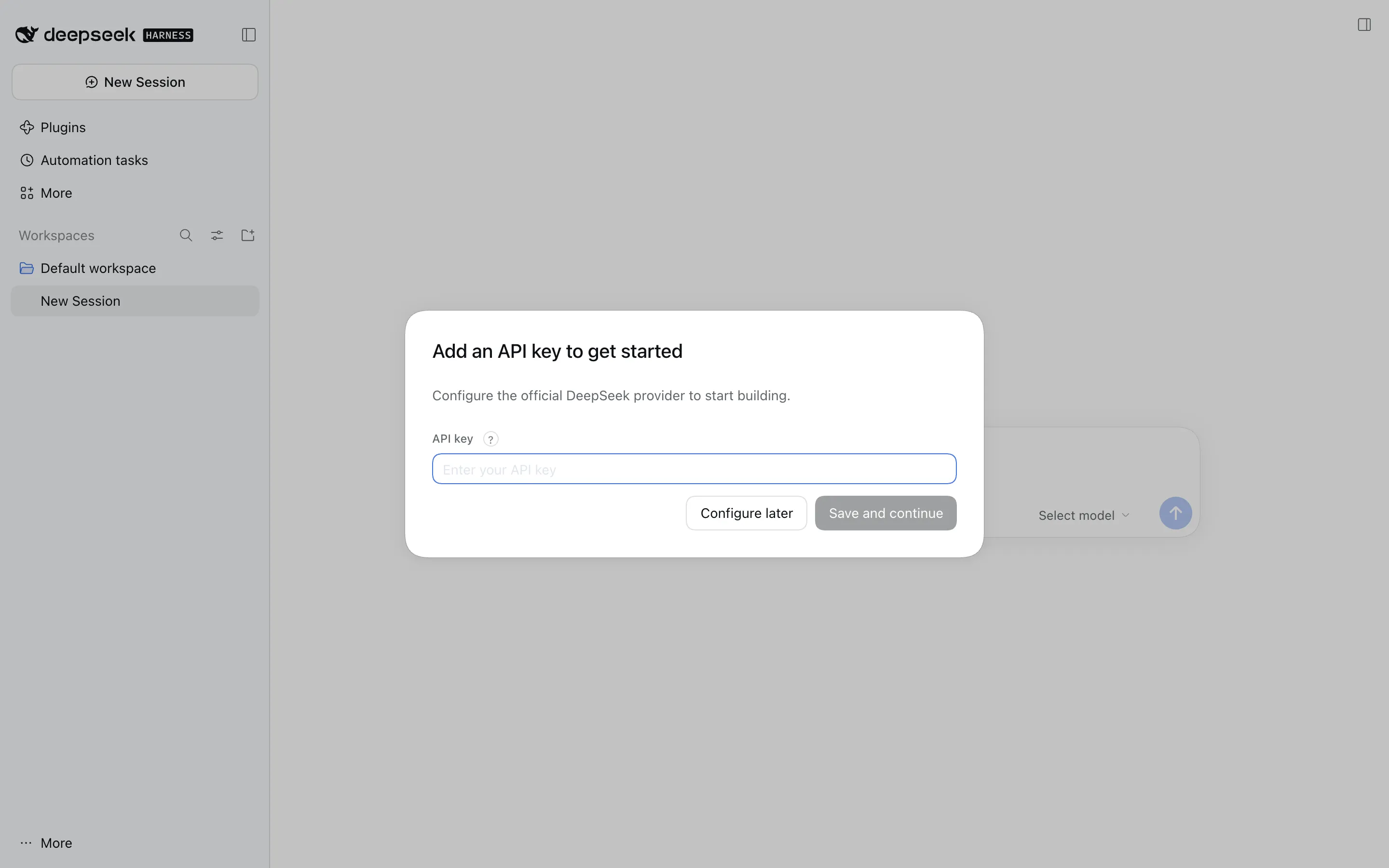
One automation gotcha: until a key is configured, that dialog comes back on every fresh page load, and its overlay blocks clicks.
Settings → Models is where providers live. The DeepSeek card (deepseek-official) takes a key or falls back to the DEEPSEEK_API_KEY environment variable, and its customized settings show two facts worth knowing:
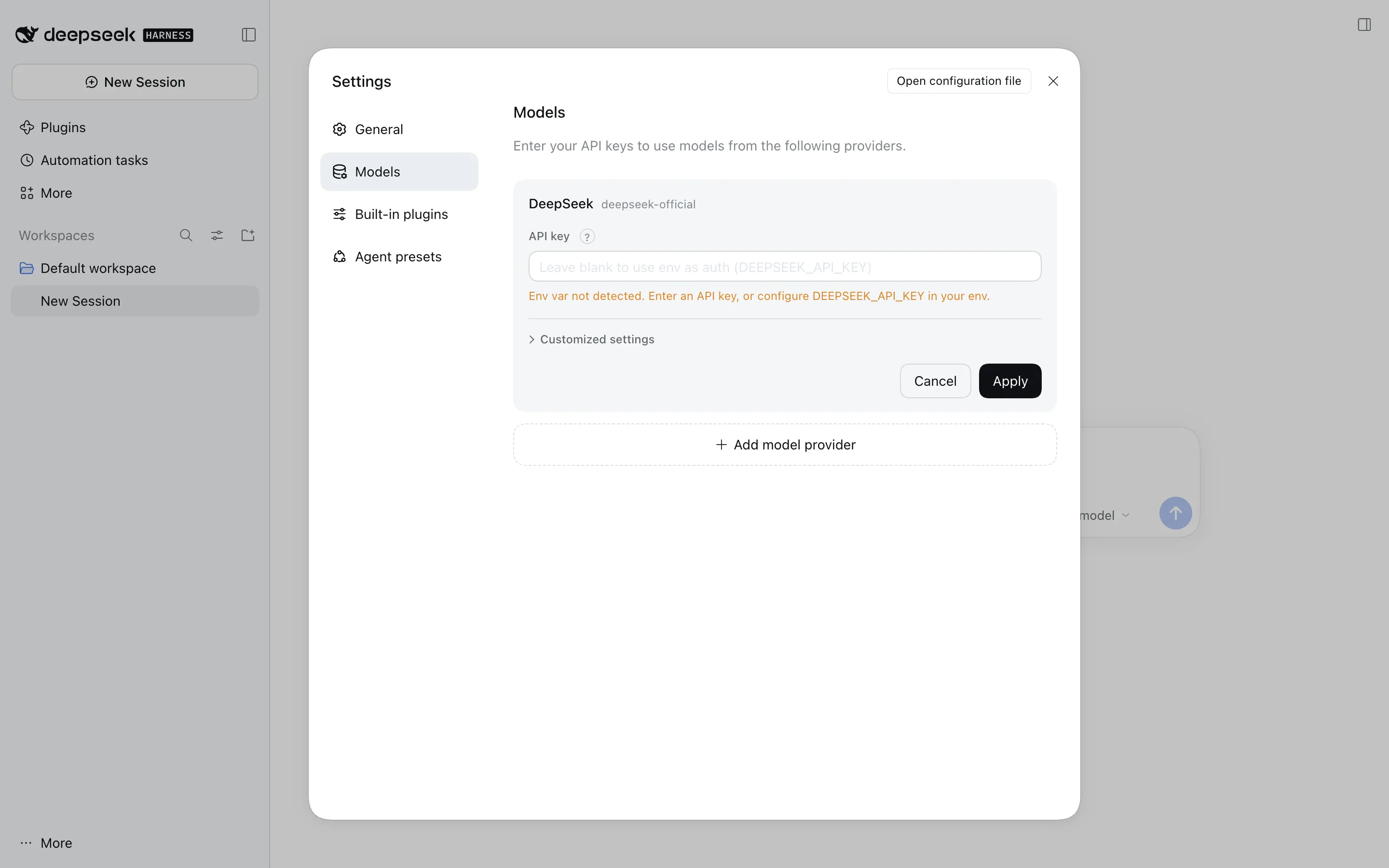
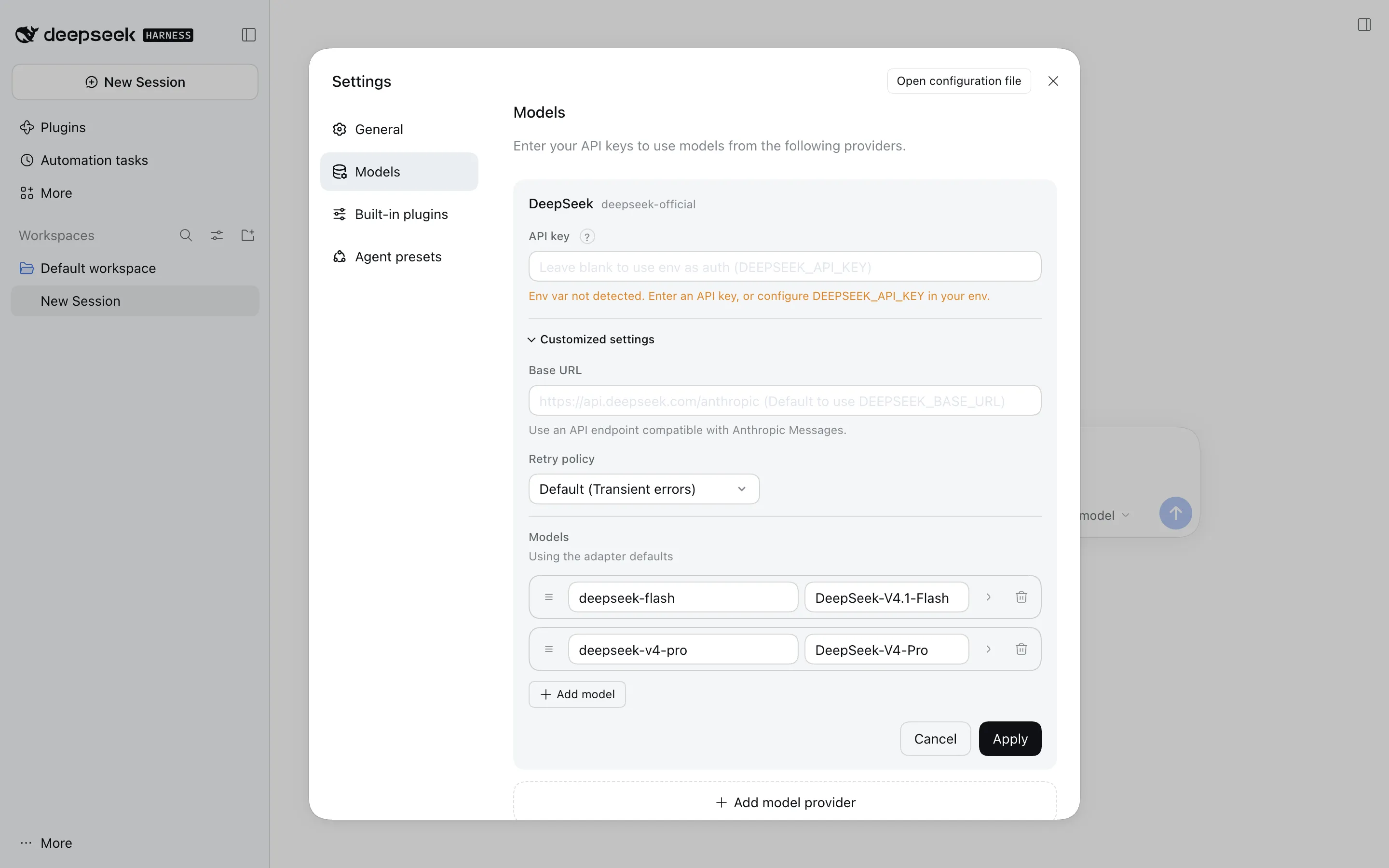
- dsh talks to DeepSeek over the Anthropic Messages protocol. The default base URL is
https://api.deepseek.com/anthropic, and the request path is/v1/messages. TheDEEPSEEK_BASE_URLvariable overrides it, which I’ll use in a moment. - Two models ship by default:
deepseek-flash(DeepSeek-V4.1-Flash) anddeepseek-v4-pro(DeepSeek-V4-Pro). Add model provider adds others: the model guide lists catalog providers such asanthropic,openai,moonshotai(Kimi) andzai(GLM), plus any custom endpoint that speaks OpenAI Chat Completions, OpenAI Responses, Anthropic Messages or the Gemini API.
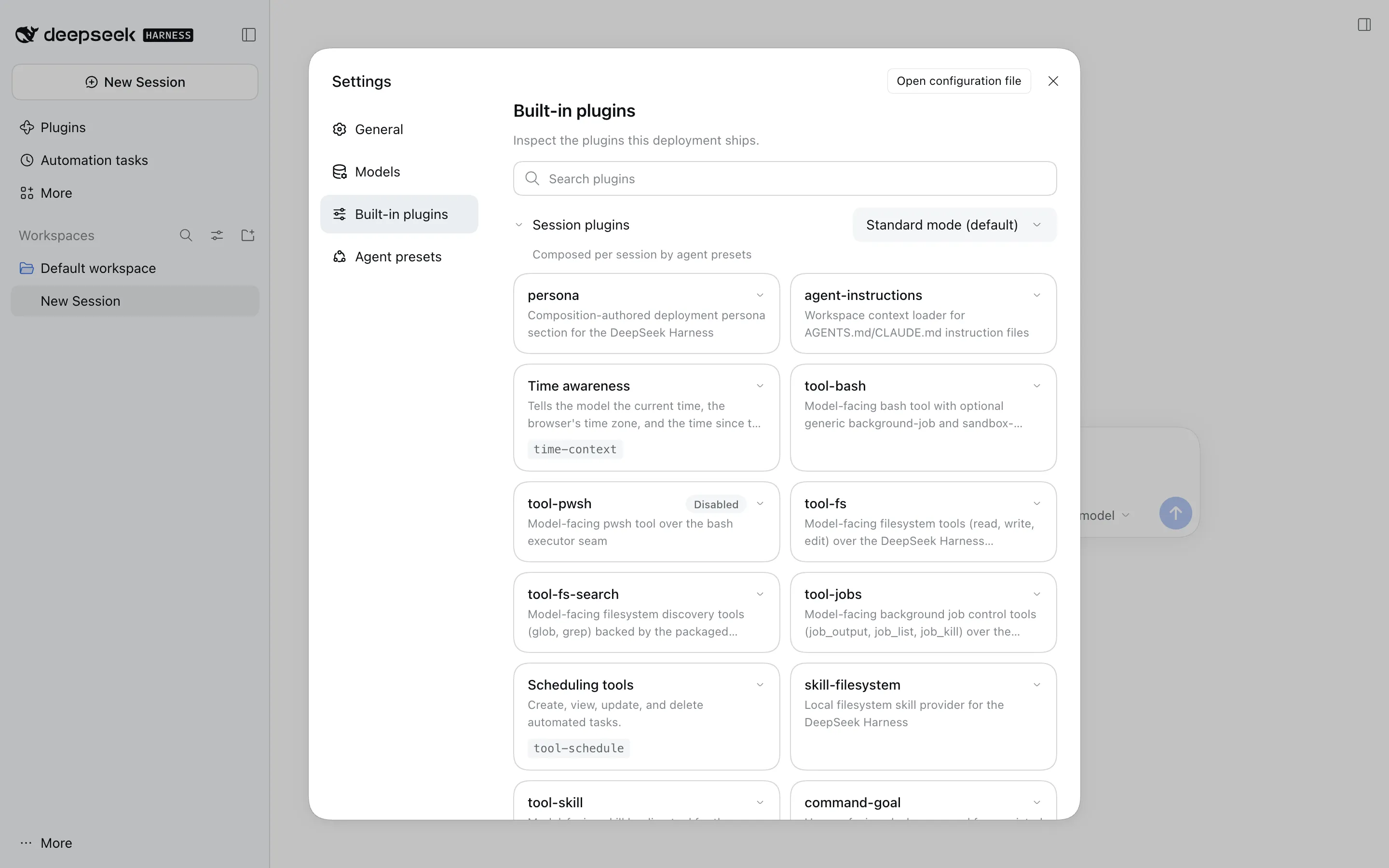
The Settings page also has a Built-in plugins tab that lists, per agent preset, the plugins each session gets: the persona, the AGENTS.md/CLAUDE.md loader, bash, file tools, ripgrep search, background jobs, schedules, skills, goals, ask-user and todo.
And Settings → General has the switch this post is partly about. Look at its default:
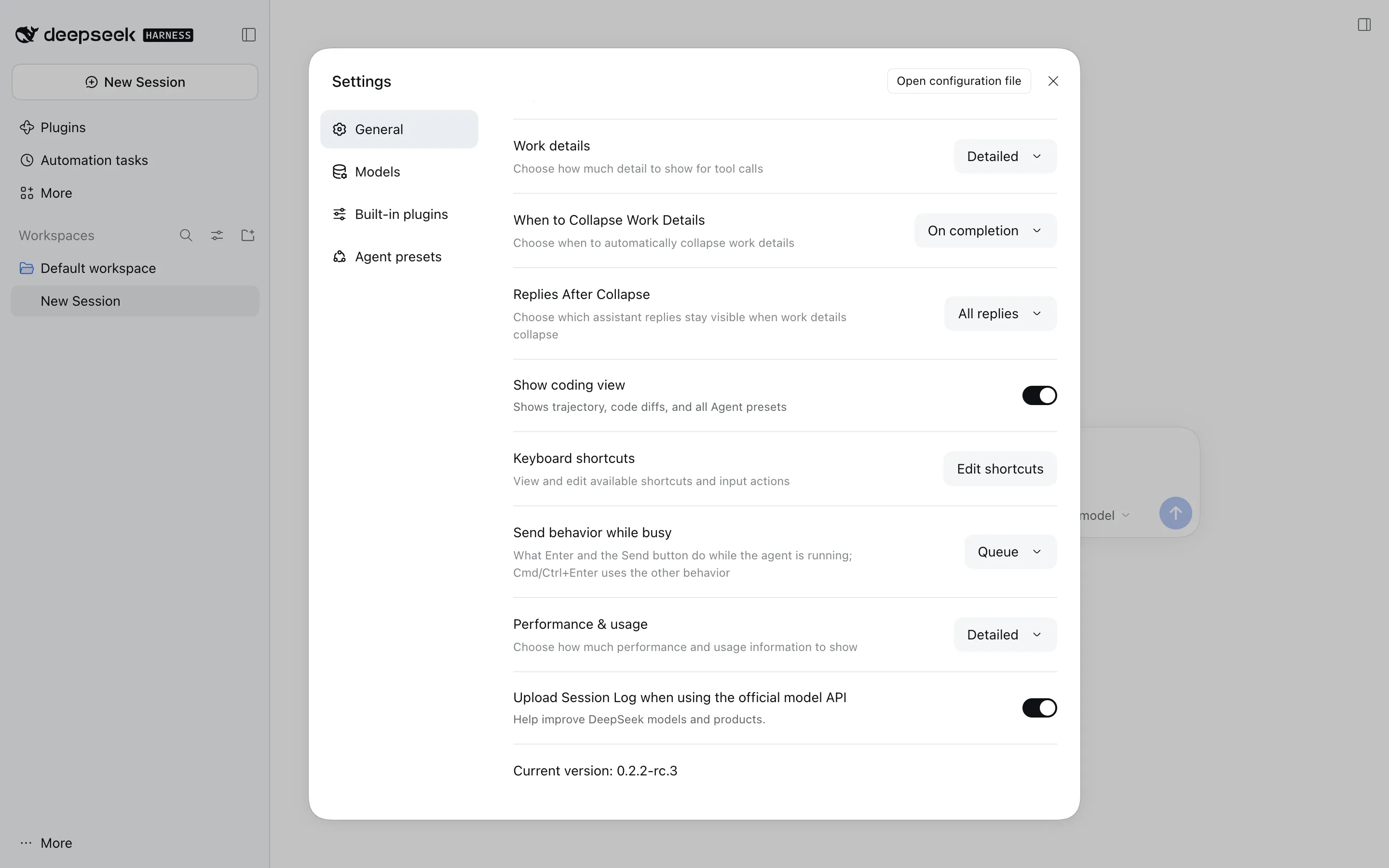
“Upload Session Log when using the official model API”, on. I’ll show what that uploads, byte for byte, after the hands-on part.
Step 5: A Test Repository
To have something for the agent to work on, I made a small git repo, textkit, with a Python module, five passing tests, an AGENTS.md (stdlib only; run python3 -m unittest -v; every bug fix adds a regression test that fails before the fix) and two planted bugs:
word_countusestext.split(" "), soword_count("a b")returns3;slugify(" Hello, World! ")returns-hello-world-, with a hyphen at each end.
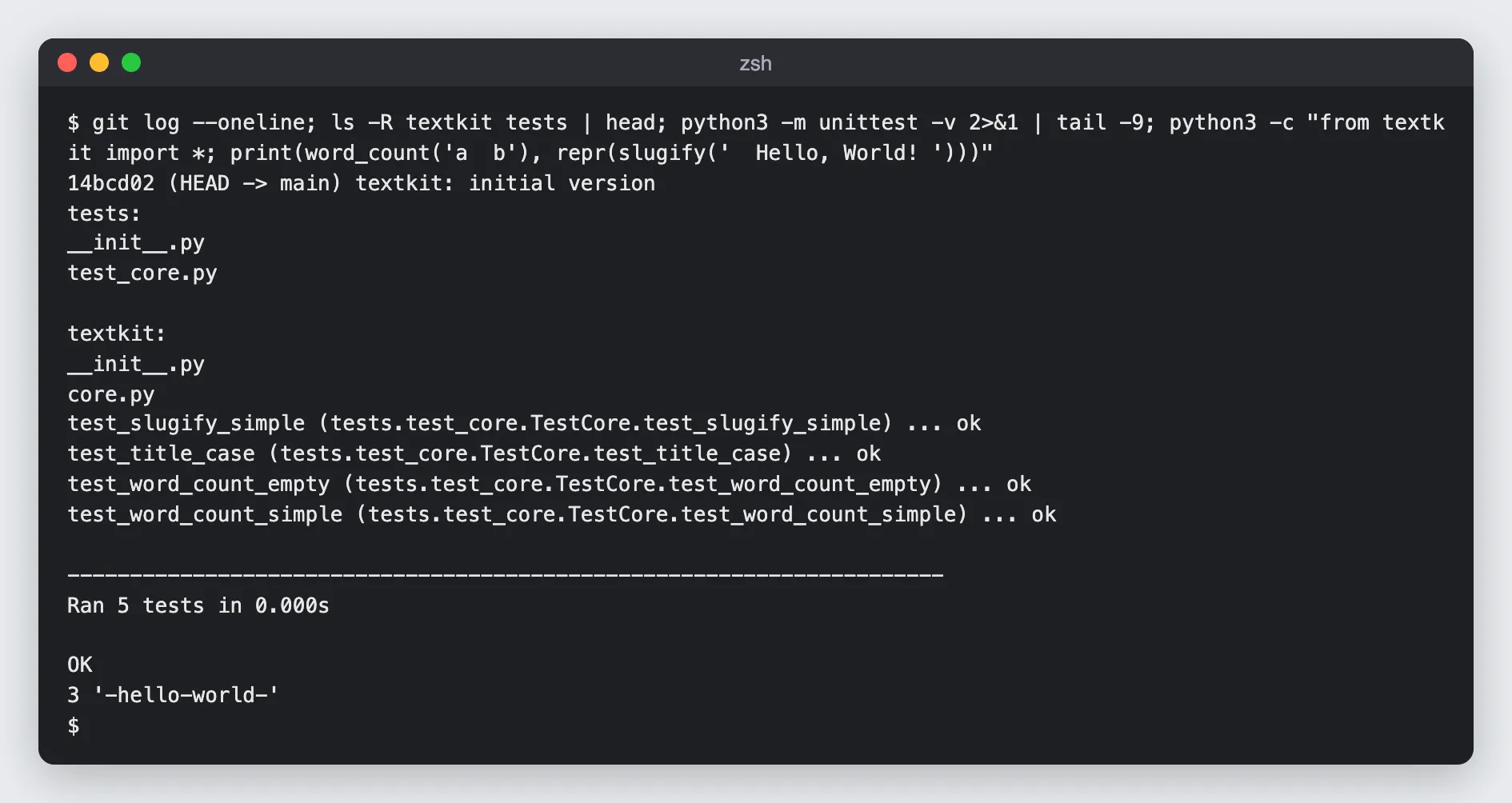
dsh reads that AGENTS.md on its own. The agent-instructions plugin loads $DSH_HOME/AGENTS.md and then every AGENTS.md (or CLAUDE.md) from the project root down to the working directory into the first request, and skips a CLAUDE.md whose content duplicates its AGENTS.md.
Step 6: Headless Mode and Its Event Stream
dsh headless answers one task and exits: the answer goes to stdout, diagnostics to stderr. With --json you get newline-delimited events instead, which is how you’d drive it from CI or another program:
dsh headless --patch /tmp/dsh-lab/plugin/patch.yml --json "Use the word_stats tool on AGENTS.md."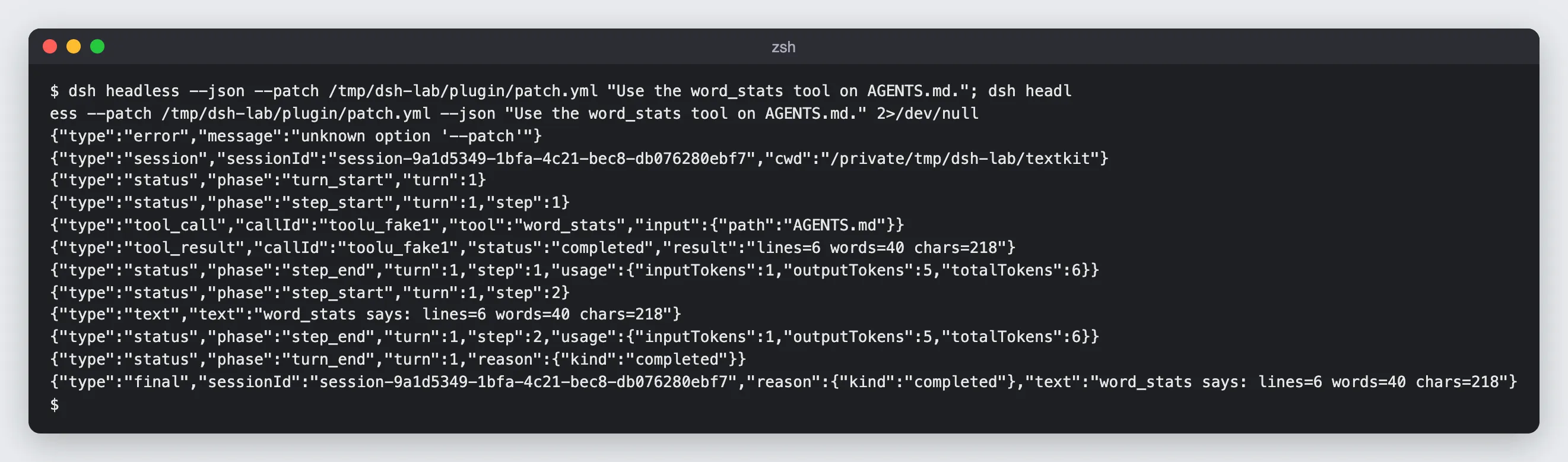
The event types are session, status (turn and step boundaries, with token usage per step), tool_call, tool_result, text and final. Two things I learned:
- Flag order matters.
dsh headless --json --patch x.yml "…"fails withunknown option '--patch', because--patchbelongs to the launcher and the launcher stops parsing at the first flag it doesn’t own. Put launcher flags first:dsh headless --patch x.yml --json "…". word_statsis not a built-in tool. It’s the plugin I wrote in Step 8.
Step 7: Permission Presets
dsh bundles two separate controls, the sandbox mode for spawned processes and the approval policy for tool calls, into three named presets. These come straight from the dumped config:
read-only: { sandbox: read-only, approval: ask }workspace-write: { sandbox: workspace-write, approval: ask } # defaultdanger-full-access: { sandbox: danger-full-access, approval: never }You pick one in the Web UI’s Permission selector, with /permission in a session, or per run with dsh headless --permission-mode <preset>. I had the stand-in model try to write a file under read-only:
dsh headless --permission-mode read-only "create a file x.txt"
The write is refused, and the refusal tells the model how to ask for more: retry once with sandbox_permissions set to “the narrowest wider mode that suffices” plus a justification, and the user gets an approval prompt. The same call under workspace-write creates the file:
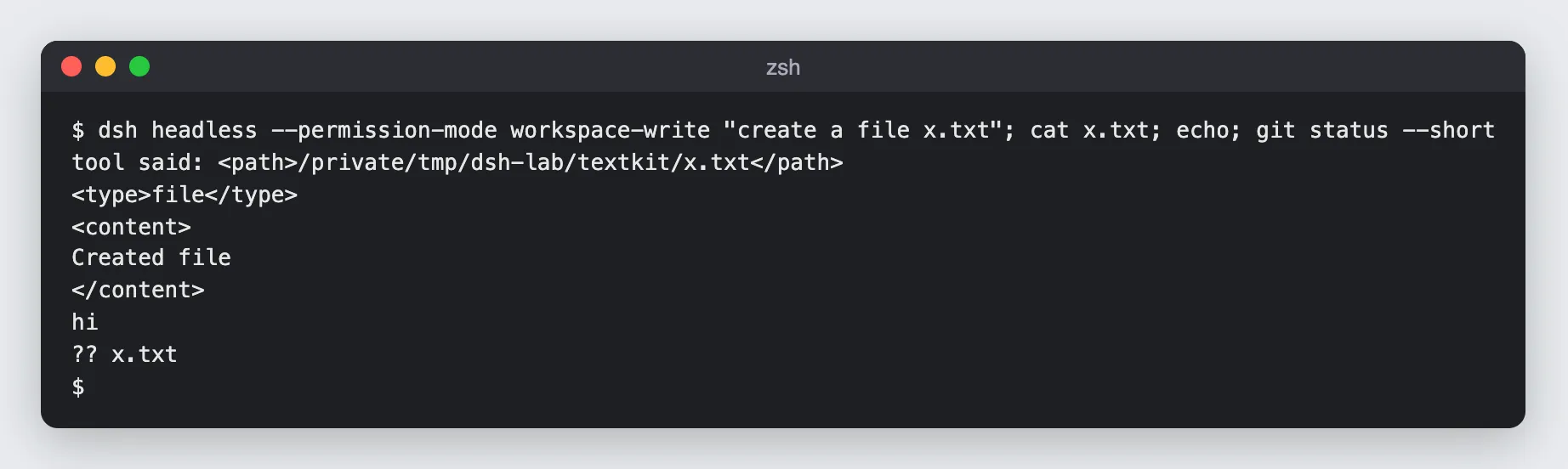
danger-full-access turns the sandbox off and sets approval to never. Hold that thought for the threat model.
Step 8: Write Your Own Plugin
This is the test that tells you whether “everything is a plugin” is marketing. The repo’s plugin tutorial assumes a source checkout; I did it against the npm install. The plugin adds a word_stats tool that counts lines, words and characters of a file:
import { readFile } from 'node:fs/promises';import { resolve } from 'node:path';import { defineTool } from '/tmp/dsh-lab/cli/node_modules/@deepseek-ai/dsh-tools/lib/index.js';
export const name = 'word-stats-tool';export const inject = ['tools'];
export function apply(ctx) {  ctx.tools.register(defineTool({    name: 'word_stats',    description: 'Count lines, words and characters of a UTF-8 text file in the workspace.',    parameters: {      path: { type: 'string', required: true, description: 'Relative path of the file' },    },    output: {      schema: { type: 'string' },      render: (_args, value) => [{ type: 'text', text: value }],    },    async execute(args) {      const text = await readFile(resolve(process.cwd(), args.path), 'utf8');      const lines = (text.match(/\n/g) || []).length;      const words = text.split(/\s+/).filter(Boolean).length;      const chars = [...text].length;      return `lines=${lines} words=${words} chars=${chars}`;    },  }));  console.error('[word-stats] plugin loaded');}
And a patch that inserts it into whatever profile you boot:
- insert: - id: word-stats name: '/tmp/dsh-lab/plugin/word-stats.mjs'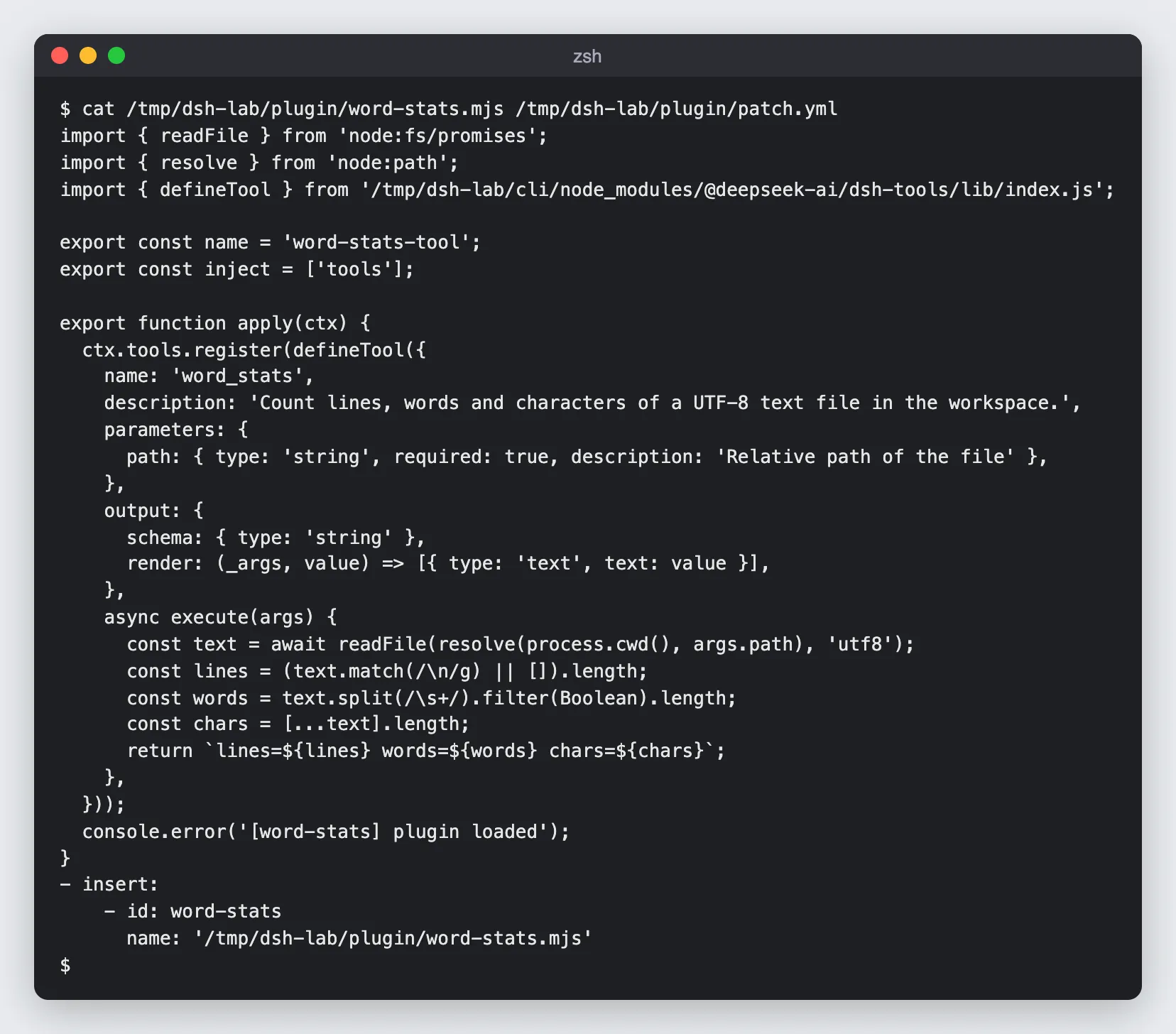
Gotcha: the bare import fails. My first version said import { defineTool } from '@deepseek-ai/dsh-tools', as the tutorial does:
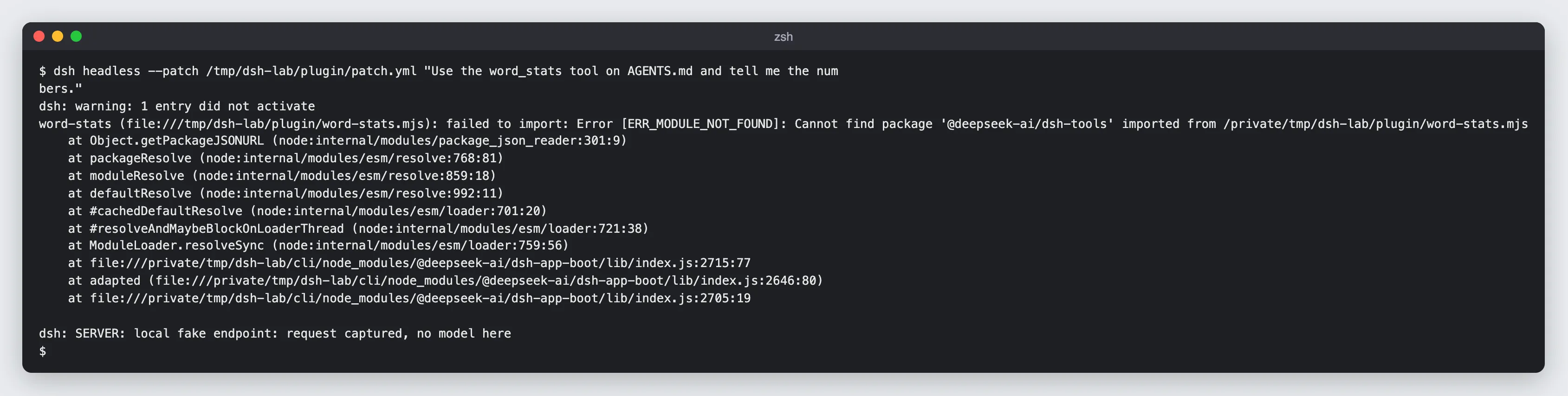
Node resolves imports from the plugin file’s folder, not from dsh’s installation, so a loose .mjs file can’t see @deepseek-ai/dsh-tools. Note what dsh does about it: it prints warning: 1 entry did not activate and keeps going without your plugin. If you script dsh, check for that warning. The fix for a quick experiment is the absolute import above; for a real plugin, give it its own package.json and install it into the profile with dsh plugin --profile web add <package>, which runs pnpm in the profile directory.
With the absolute import it loads, and the request the harness builds now offers 25 tools instead of 24, the last one being ours, with required: true turned into proper JSON Schema:
{"name":"word_stats","description":"Count lines, words and characters of a UTF-8 text file in the workspace.", "input_schema":{"type":"object","properties":{"path":{"type":"string","description":"Relative path of the file"}},"required":["path"]}}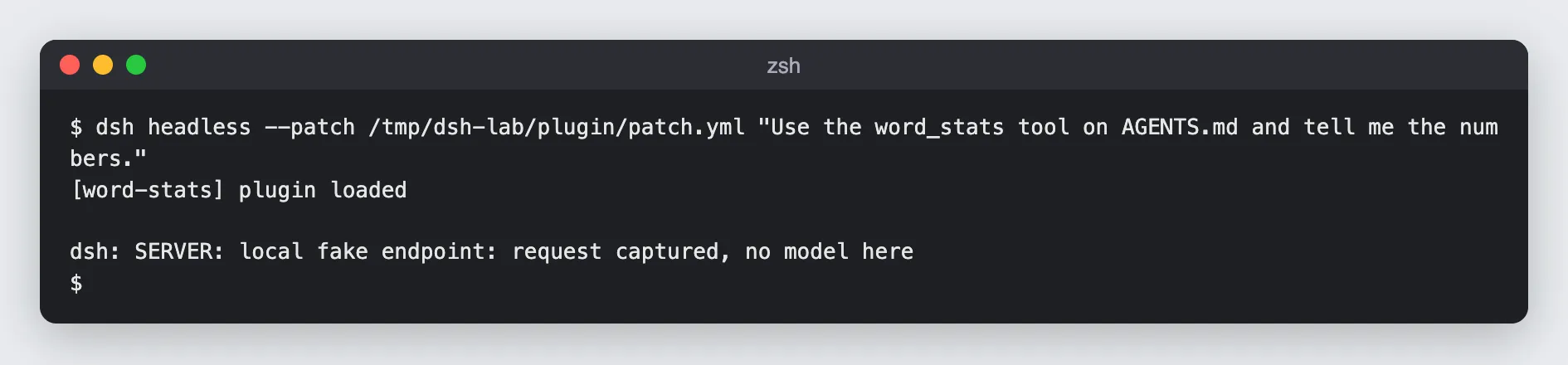
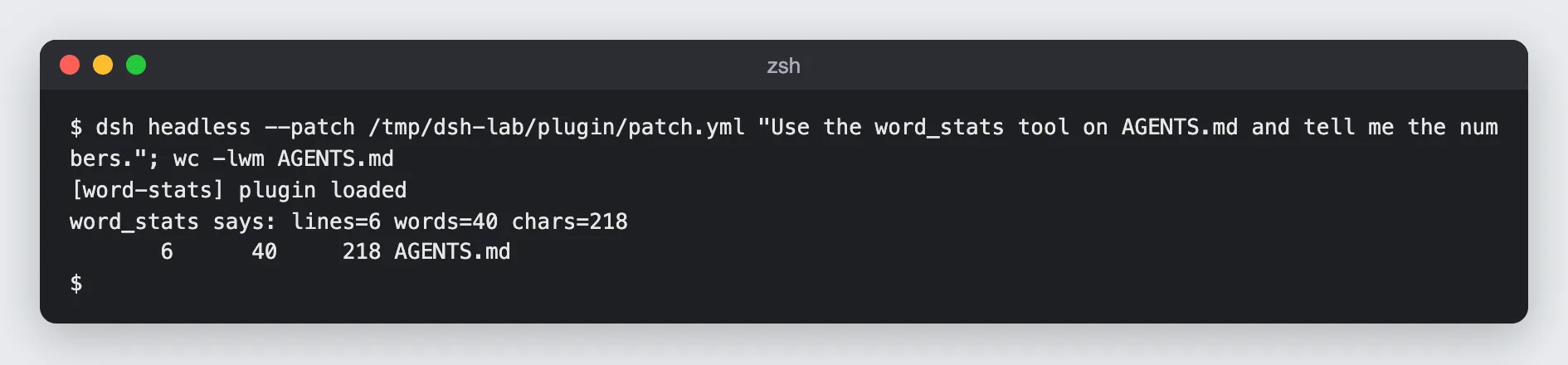
lines=6 words=40 chars=218, the same as wc. Twenty-eight lines of JavaScript and four lines of YAML, no fork, no rebuild. That part of the pitch holds up.
What Every Request Sends to DeepSeek
Back to that switch in Settings → General. The source has two plugins in the shared dsh-base bundle that add fields to requests sent to the official DeepSeek API:
dsh-session-log-deepseekowns adsh_session_logrequest field: “incremental canonical session-log upload for official DeepSeek LLM API requests”. Itsenabledoption defaults totrue, and one request can carry up to 8 MiB of it.dsh-plugin-package-inventory-deepseekownsdsh_plugin_packages: the list of active plugin packages, “for request diagnostics”.
I wanted to see that on the wire without sending anything to DeepSeek. So I pointed the DeepSeek route at a tiny local server that logs each request’s top-level keys and the size of each dsh_* field, with a dummy key:
export DSH_HOME=/tmp/dsh-lab/home-wireexport DEEPSEEK_API_KEY=sk-dummyexport DEEPSEEK_BASE_URL=http://127.0.0.1:8799/anthropic # a local fake endpointcd /tmp/dsh-lab/textkittime dsh headless "say hi"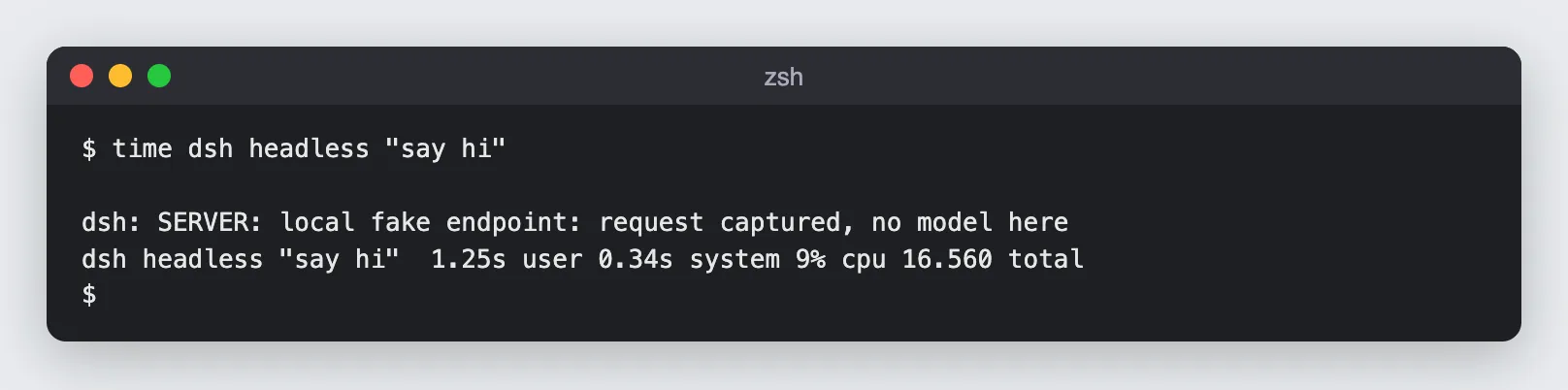
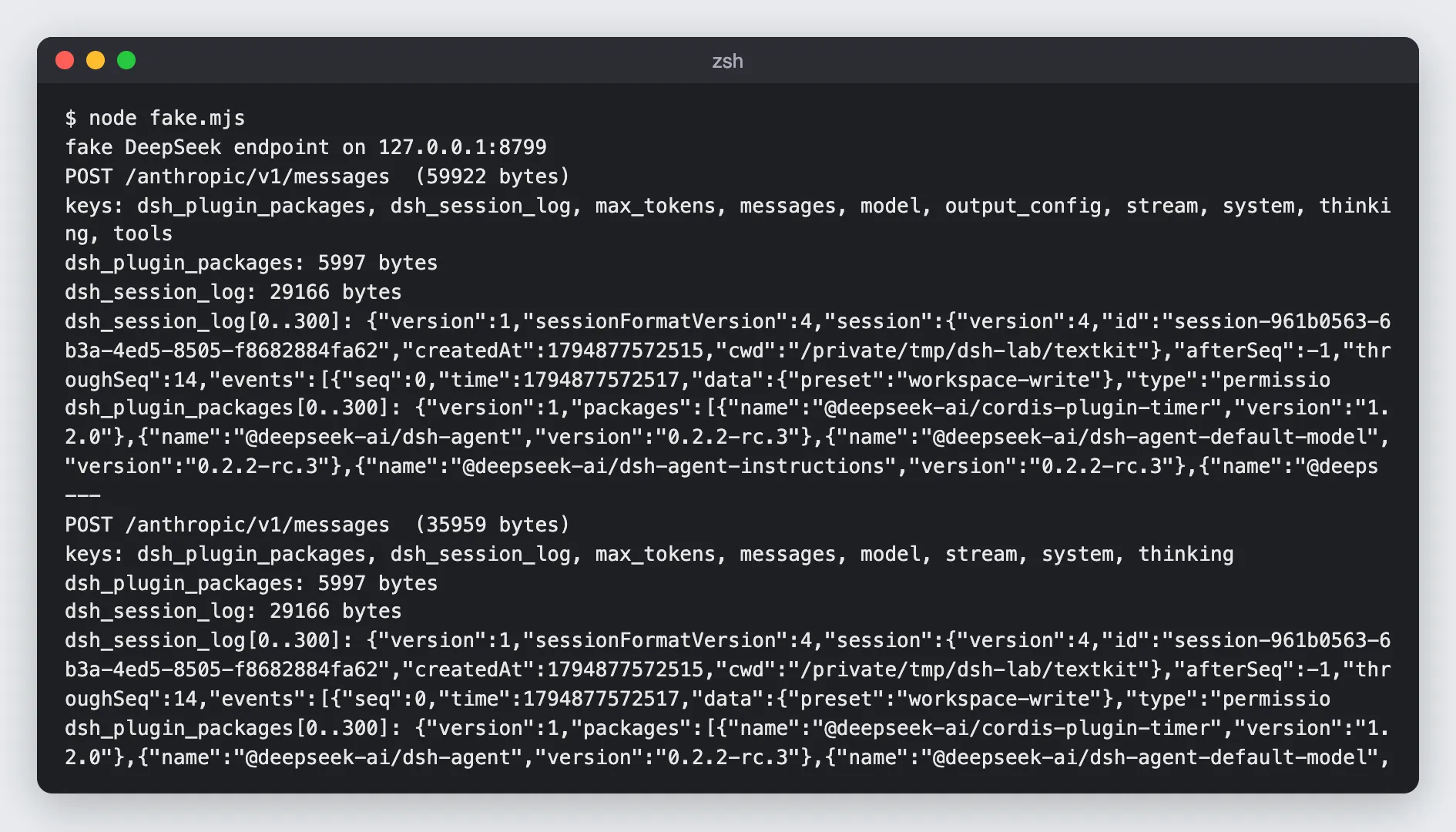
For a two-word prompt, the main request was 59,922 bytes:
| Field | Size | What’s in it |
|---|---|---|
dsh_session_log | 29,166 bytes | the session’s durable events so far: permission preset, sandbox mode, approval policy, turn and step starts, the full system message, request headers and context, your messages, title events, plus a header with the session id, creation time and working directory |
dsh_plugin_packages | 5,997 bytes | name and version of 90 active packages |
| everything else | the rest | model: deepseek-flash, stream: true, max_tokens: 256000, thinking: {type: enabled}, output_config: {effort: high}, 24 tool schemas, system prompt, messages |
A few more details from the capture:
- The session-title request carries both fields too. dsh makes a second, tool-less call asking for “a concise title for an AI coding-assistant session”, and it gets the same
dsh_*fields. - Retries resend it. My fake server answered 500, and dsh retried the main request five times (the default “transient errors” policy). The session log grew with every retry, from 29,166 to 33,603 bytes, because each retry is itself a logged event. Seven POSTs for one “say hi”.
- It’s incremental. The plugin tracks what DeepSeek has accepted (
afterSeq/throughSeq) and sends only the new part next time. Over a long session, the whole log reaches DeepSeek piece by piece.
Here’s what’s in the field, in the session format’s own words: your user messages (including the baseline message with your AGENTS.md chain), the assembled system message, tool calls and their results. In other words, the code and command output your agent read. To be fair to DeepSeek: the model API already receives your messages and tool results as conversation context, because that is how an agent works. What the extra field adds is a structured, durable copy of the session, including log-only events that never go to the model, sent alongside, and the switch’s own label says what it’s for: “Help improve DeepSeek models and products.”
How to Turn It Off
In the Web UI, switch off Settings → General → Upload Session Log when using the official model API. To make it stick for every profile you use, put it in a patch. I added this to $DSH_HOME/profiles/headless/cordis.patch.yml and ran the same prompt:
- id: session-log-deepseek config: enabled: false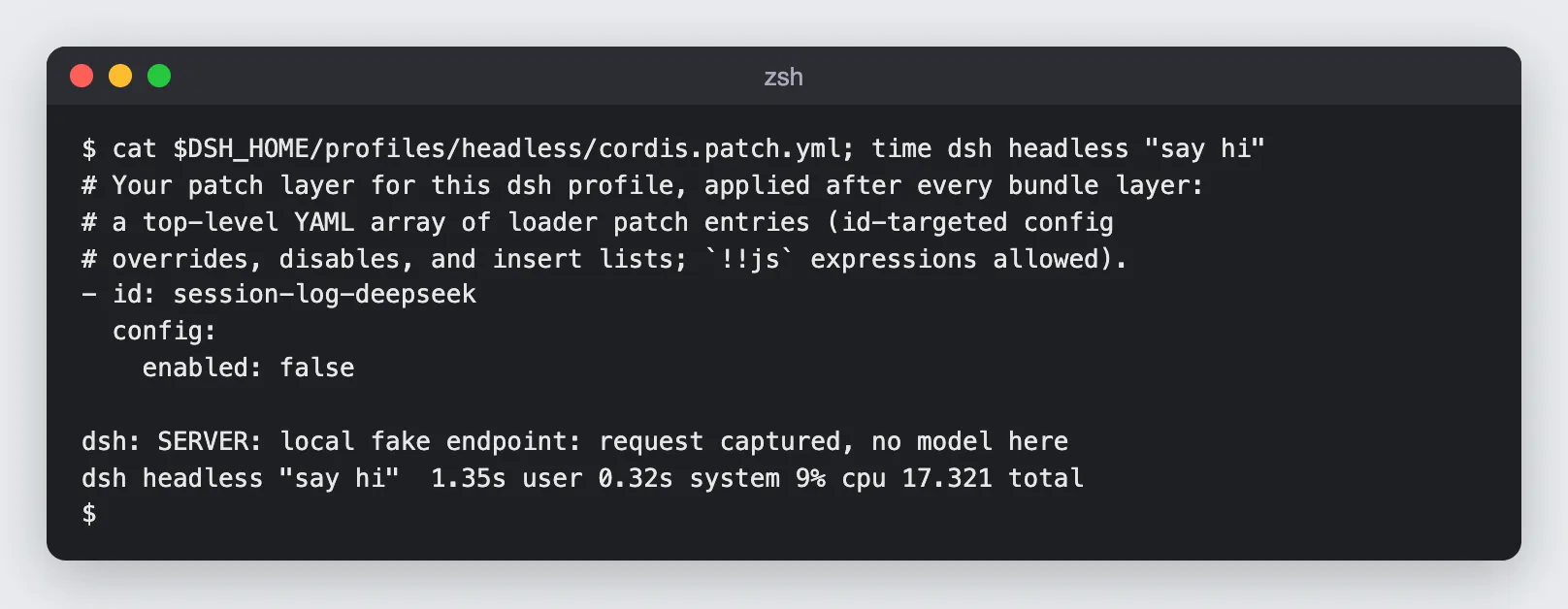
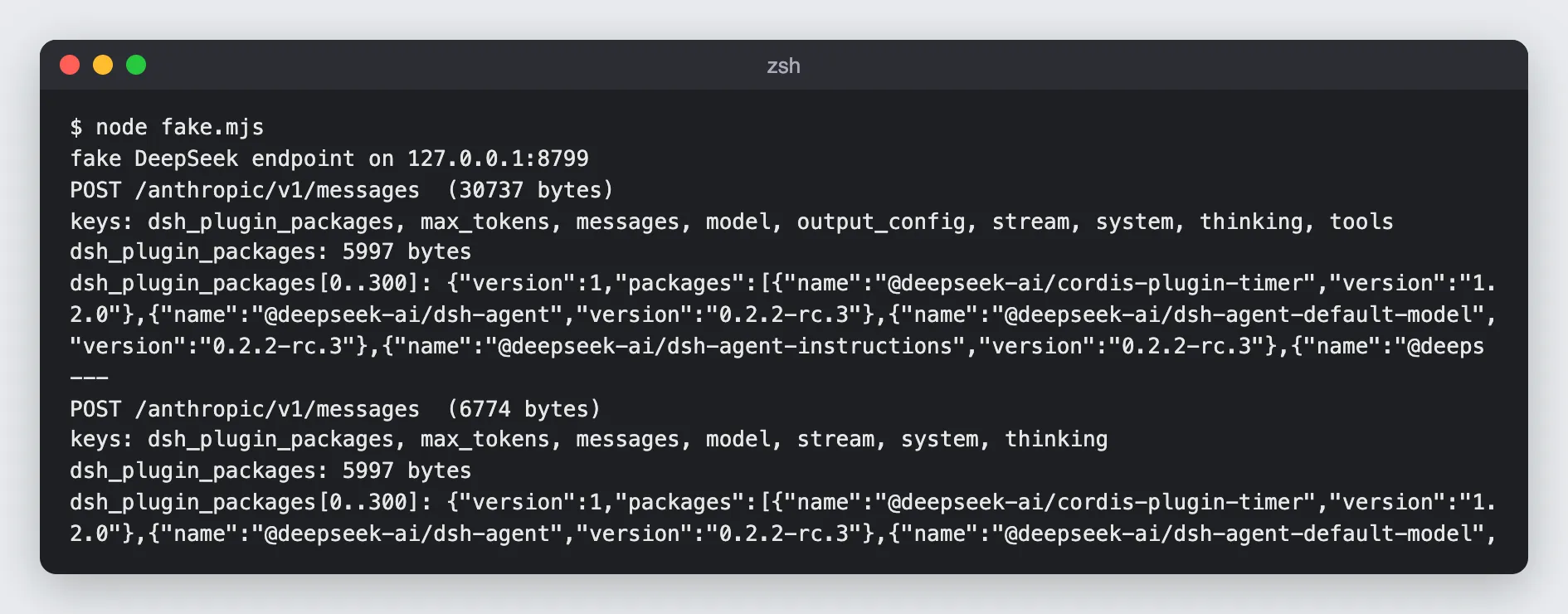
The request dropped from 59,922 to 30,737 bytes and dsh_session_log disappeared, but dsh_plugin_packages is a separate plugin and was still sent. Disable both:
- id: session-log-deepseek config: enabled: false- id: plugin-package-inventory-deepseek config: enabled: false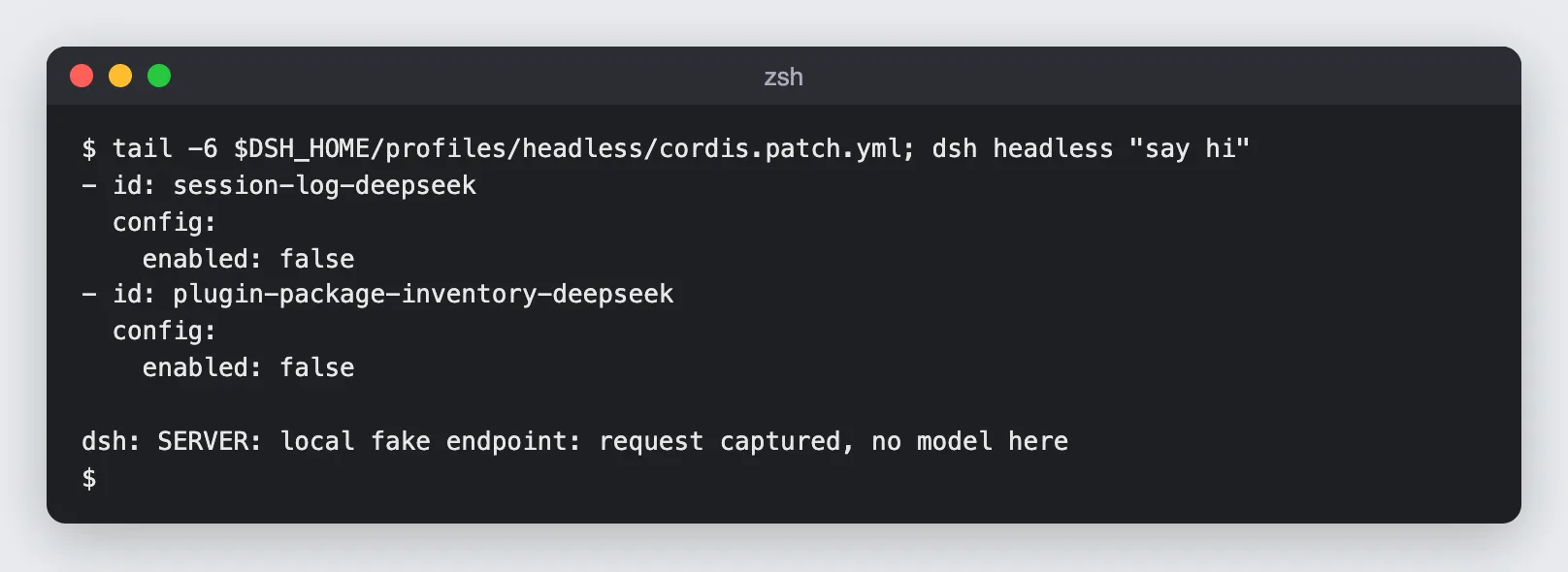
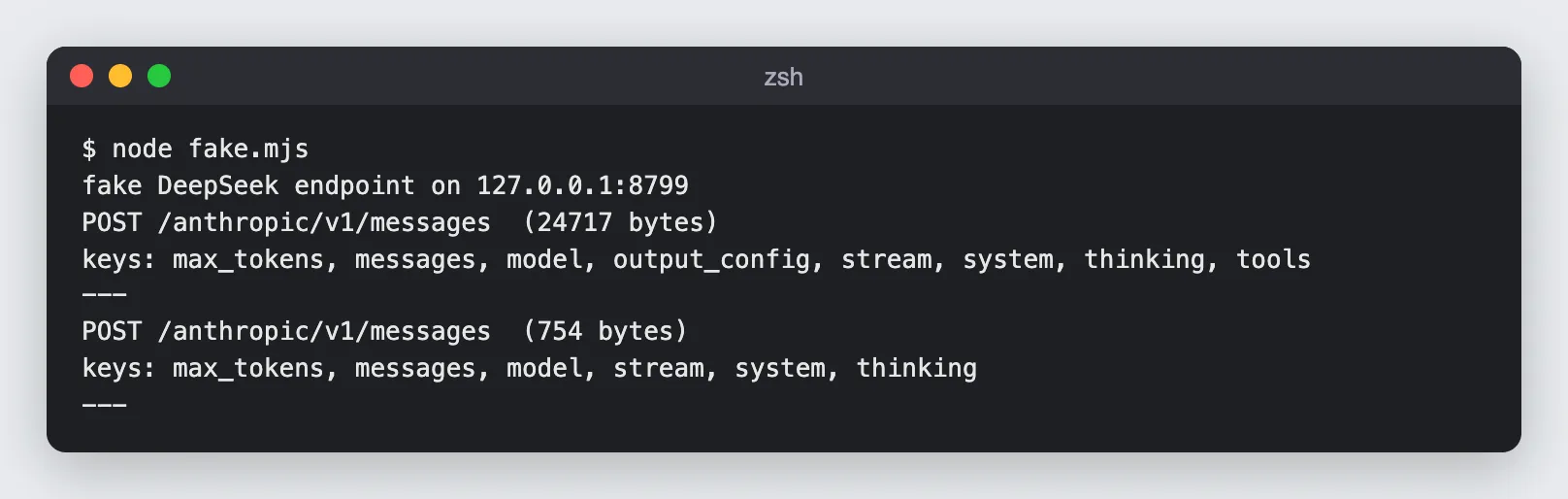
Now the request is the plain Messages call, 24,717 bytes. Three things to know before you rely on this:
- Re-enabling uploads the backlog. The plugin’s README says: “Re-enabling resumes the unaccepted suffix, including events recorded while disabled.” Switching it off for a sensitive task and back on afterwards uploads that task anyway. If you don’t want it, keep it off.
- It applies to the official API only. With a third-party provider or a custom endpoint, these fields aren’t added.
- Telemetry is a separate switch. An OpenTelemetry plugin in the base bundle defaults to
FEEDBACK_ONLY: when you send feedback (a rating, a text note, an edit), it uploads the session up to that point to a DeepSeek collector.DSH_TELEMETRY_MODE=DISABLEDstops it.
None of this is hidden: it’s in the source, the READMEs and a labeled switch. But it’s on by default, it’s not in the README’s quick start, and I haven’t seen another review mention it. If you point dsh at a client’s repository, decide about it first.
The Core Idea: Cordis, Profiles and Patches
Now the architecture, drawn from docs/architecture.md and the package READMEs rather than the press coverage.
Cordis is the framework underneath. Cordis is a plugin framework (vendored into the repo) whose design is described in the paper A Programming Paradigm for Spatiotemporal Composability. A plugin is a module with an apply(ctx) function. A context is a registry of services (ctx.tools, ctx.llm, ctx.sessions), and a plugin declares what it needs with inject, so load order comes from dependencies instead of a boot script. Everything a plugin registers (a tool, a prompt section, a listener) is a reversible effect, so unloading a plugin unwinds it cleanly. That’s what made my word_stats plugin a 28-line file: inject: ['tools'], then ctx.tools.register(...).
There is no privileged core. The architecture doc says it directly: “Every part of the product is a plugin, including the model adapter, the tool registry, the session log, and the agent loop itself.” The core packages are just plugins that own a service key:
| Package | Owns | ctx key |
|---|---|---|
core/session | the append-only session event log | ctx.sessions |
core/system-prompt | prompt sections and tool-schema assembly | ctx.systemPrompt |
core/tools | the tool registry and the guarded execution pipeline | ctx.tools |
core/agent-loop | the default agent driver | ctx.agentLoop |
llm/llm | the message and stream vocabulary, the adapter seam | ctx.llm |
A profile is layers of patches. At boot, dsh starts from an empty list and applies, in order: each bundle’s patch (dsh-base, then dsh-web-app for the Web profile), the profile’s own cordis.patch.yml, the home-level $DSH_HOME/cordis.patch.yml, and finally any --patch files on the command line. A patch can insert rows or target a row by id. One rule bites: a patch replaces the targeted row’s whole config, it doesn’t merge. My enabled: false patches above were safe only because those plugins have no other settings I cared about.
Seams make swaps cheap. A “seam” is a capability with three roles: a service definition, one or more providers, and consumers. The shell is the canonical example: dsh-shell defines it, dsh-bash-local and dsh-bash-sandbox provide it, dsh-tool-bash consumes it. Point the filesystem and subprocess providers at a remote sandbox, and Bash, the terminal and the LSP move with them. The same goes for subagents: there are providers for a fresh in-process agent, a fork, an ACP agent, and even Claude Code and Codex as subagents (subagent-claude-code, subagent-codex), each running a genuine, unattended session of that product in your workspace.
The Turn Loop and the Log
A step is one model request plus the tools it calls; a turn is zero or more steps until nothing is owed. Every durable fact is a session event (turn/start, user/message, assistant/message, tool/call, tool/result …) appended to a JSONL log, and the docs state the rule that holds it together: “Model-visible means logged.” Every request must be reconstructable from the log, so fork, resume, transcripts and telemetry all derive from it. That’s also why the session-log upload is so easy to build: the log is the product’s source of truth, and the plugin just ships its tail.
The Tool Pipeline
Every tool call goes through the same pipeline before your tool’s execute() runs, which is why my plugin got sandboxing and approvals for free:
tool/callis logged before execution;- the
tools/pre-executewaterfall applies hooks, the permission policy and the sandbox; it can allow, deny, or ask; - an ask goes to a one-shot approval prompt, and if nobody can answer, the call is denied;
- registered guards can still deny;
- the
tools/executewaterfall wraps the call with timeouts, retries and metrics; tools/post-executecan accept, block or rewrite the result, andtool/resultis logged.
Beyond the basics, the tool catalog includes background jobs, schedules, goals (/goal keeps a session working toward one durable objective across restarts), a “Ralph loop” (fresh child agents taking turns toward a fixed objective, handing over a bounded report), Agent Teams with a shared task board, MCP resources, skills, LSP, and Office file tools. Most of that deserves its own post.
The Threat Model
Read the sandbox docs closely and three limits stand out. They’re all documented; they’re just not on the front page.
- On macOS the sandbox confines writes, not reads. The local backend uses Apple’s Seatbelt (
sandbox-exec), and its profile is “allow-default with(deny file-write*)plus write allow-lists”. A command underread-onlyorworkspace-writecan still read anything your user can read:~/.ssh,~/.aws, browser profiles. The README also notes thatsandbox-execis deprecated by Apple. (Linux uses bubblewrap or Landlock; Windows a restricted token.) - Network is outside the sandbox. The docs say the sandbox mode “governs filesystem effects only”, and “network and process visibility are outside this vocabulary”. The base bundle adds that web fetch “runs without per-call approval and can reach loopback and private-network hosts”. So a prompt-injected agent that read a secret can still send it somewhere.
danger-full-accessmeans no sandbox and no questions. The preset pairs no confinement with approvalnever. An experimental Auto review plugin can put a model in front of each call instead, and its own README warns that it “can allow unsafe actions”.
What I’d do before using it on real work:
- Run it in a VM, a container or a dedicated OS user, as SAFETY.md recommends. On a Mac, that’s the only way to keep it out of your home directory’s secrets.
- Stay on
workspace-writewith approvals, and treat any escalation prompt as a real decision. - Decide about the session-log upload and the telemetry before the first session in a sensitive repo, and set them in a patch, not only in the UI.
- Pin a version. It’s a developer preview; npm got eight release candidates of 0.2.1 and 0.2.2 between October 17 and November 13.
What I’d Take Away from It
- “Everything is a plugin” is real. 299 rows, the agent loop included, and I added a tool to an npm install with one file and one patch. If you want to build your own agent product, this is a serious base to fork by configuration rather than by code.
- The log-first design is the quiet strength. One append-only log feeds the model, resume, fork, the UI and telemetry. It’s the same “one writer, durable effects” discipline I liked in dsh-superagent.
- Read the defaults. Session-log upload on, five retries, web fetch without approval, reads outside the sandbox. All documented, all changeable with a patch, none of them in the quick start.
- It’s heavy and early. 1.3 GB, breaking changes promised, a
latesttag that lags the release you probably want.
FAQ
What is DeepSeek Harness?
DeepSeek Harness (dsh) is an open-source agent harness from DeepSeek AI, MIT licensed, built on the Cordis plugin framework. It runs as a local Web UI (dsh web), a one-shot CLI (dsh headless), or behind TypeScript and Python SDKs and the Agent Client Protocol. The model adapter, tools, sandbox, session storage and agent loop are all plugins you can replace with a YAML patch.
Is DeepSeek Harness free, and which models does it support?
The software is free and MIT licensed; you pay for whichever model API you use. It ships with DeepSeek’s deepseek-flash (DeepSeek-V4.1-Flash) and deepseek-v4-pro, through an API key or a DeepSeek account sign-in, and can add catalog providers such as Anthropic, OpenAI, Kimi and GLM or any custom endpoint speaking OpenAI Chat Completions, OpenAI Responses, Anthropic Messages or the Gemini API.
Does DeepSeek Harness send my session to DeepSeek?
With the official DeepSeek API and default settings, yes: each request carries a dsh_session_log field with the session’s events since the last accepted upload, plus a dsh_plugin_packages list. Turn it off in Settings → General or with enabled: false on the session-log-deepseek and plugin-package-inventory-deepseek rows in your profile patch. Third-party providers don’t get these fields.
How is it different from dsh-superagent?
DeepSeek Harness is the general agent runtime. dsh-superagent is a research prototype built as a plugin bundle for it: a proactive agent that watches one GitHub repository, decides which messages are real requests, and answers with pull requests.