GeekCoding101
Skills over MCP is an MCP extension that lets a server deliver Agent Skills (a SKILL.md plus its supporting files) to a client as ordinary skill:// resources. The client discovers them with skills/list, reads the files with resources/read, and the skill arrives from the server instead of from a folder on the user’s disk.
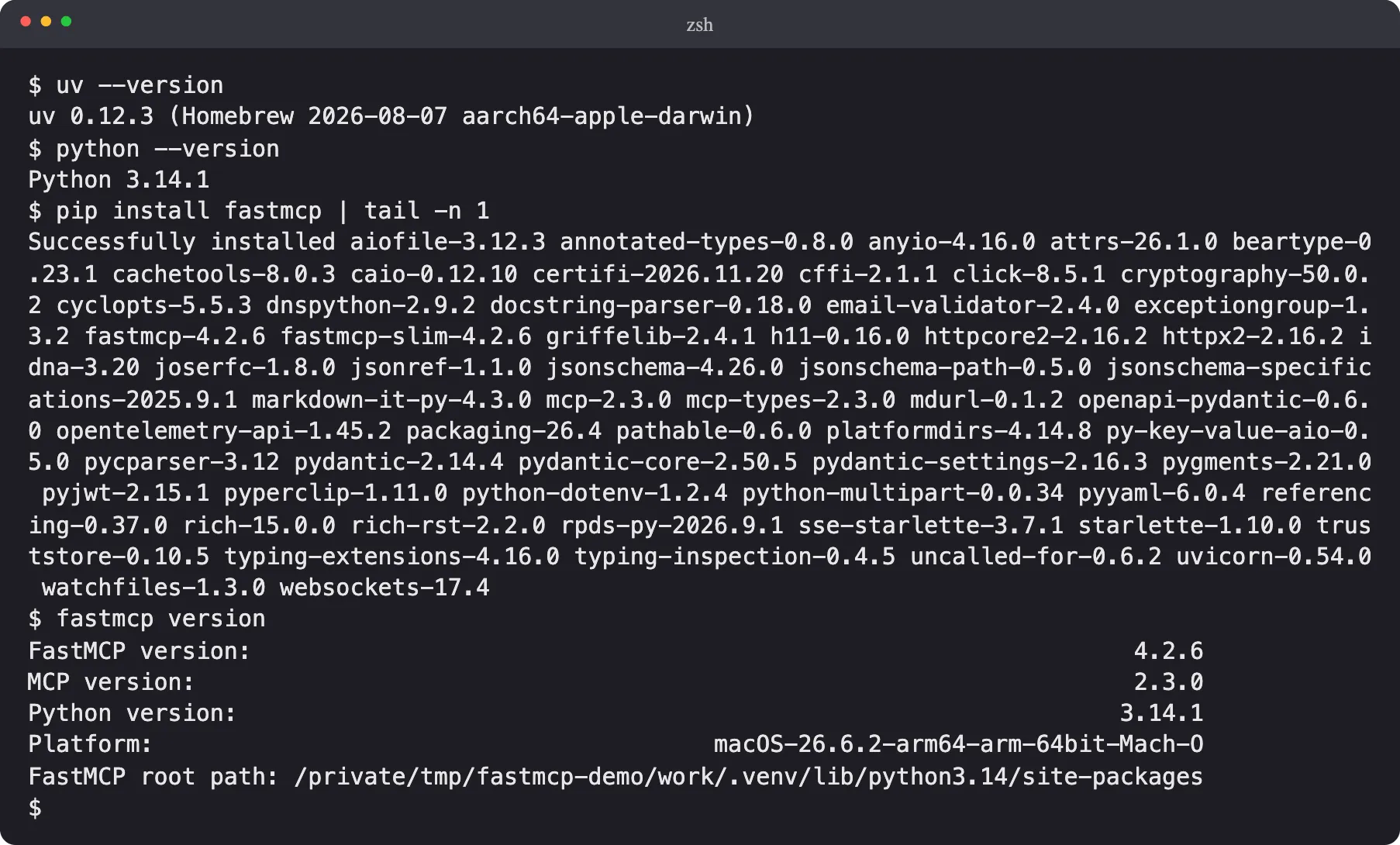
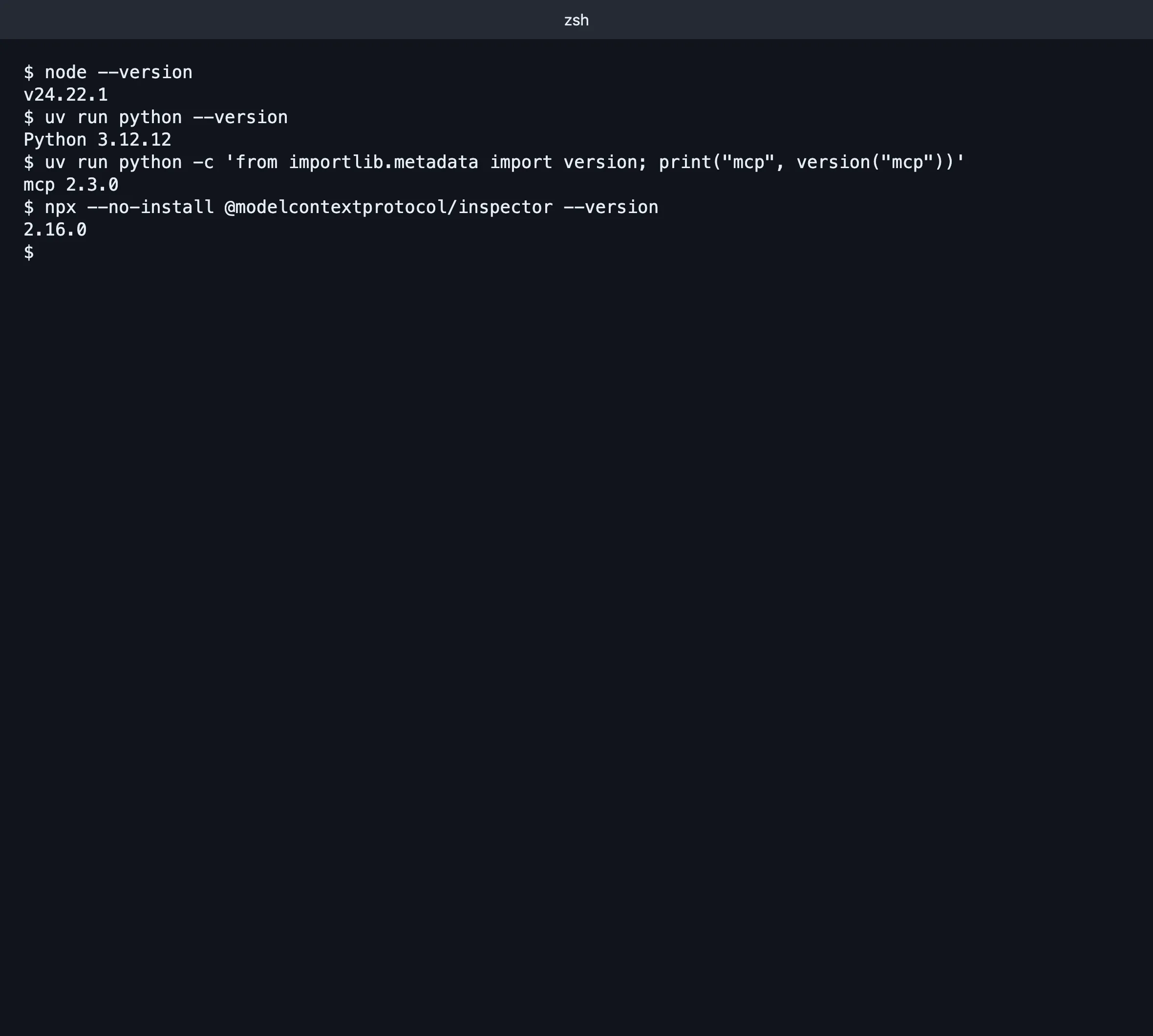
This guide covers what the extension is, how it differs from local skills and from MCP tools, resources and prompts, and then builds a small working server and client in Python. One caveat up front: the example is a small local demo using an in-memory client, not a production deployment. I ran it with Python 3.12, fastmcp 4.2.6 and mcp 2.3.0. I did not test Claude, Claude Code or VS Code against it; their support is described only as listed in the project docs.
What is skills over MCP?
An Agent Skill is a folder with a SKILL.md file whose frontmatter has a name and a description, plus any files the instructions refer to. If you have not used them locally, see Claude Code skills and SKILL.md: a tutorial.
Skills over MCP (also called the MCP skills extension) keeps that format and changes the delivery. The server exposes each skill’s files as resources under a skill:// URI, so a team can publish skills once from a server and every connected client can find them. The extension identifier is io.modelcontextprotocol/skills.
If you are new to servers in general, start with What is an MCP server?.
Status: is it official?
The proposal is SEP-2640, the Skills Extension. Its status is Final; it was created on 2026-04-23 and merged on 2026-09-13.
The extension’s own repository, ext-skills, is a separate matter. Its spec page describes the extension as Beta in the extension lifecycle and is written against protocol revision 2026-07-28. So the SEP is final, while the extension is still labelled Beta. Work is coordinated by a working group.
How it differs from local skills and from tools, resources and prompts
Versus local skills. A local skill lives in a directory the user controls and is loaded by the agent from disk. A skill over MCP lives on a server and reaches the host through the protocol. The skill format is the same.
Versus MCP primitives. There is no new transport and no new message type for the files themselves:
| Primitive | What it is for |
|---|---|
| Tools | Actions the model can call, which run code on the server |
| Resources | Data the host can read by URI |
| Prompts | Templates the user or host can invoke |
| Skills extension | Instructions and files, carried as resources, in the Agent Skills format |
A skill is mostly text that tells the model how to do something. A tool is something that does it. If you need to call an API or change state, build a tool; if you need to teach the model a procedure or a house style, a skill fits. For the wider picture of how MCP relates to plain APIs, see MCP vs API.
How a skill is exposed: skill:// resources
Every file in a skill gets a URI of the form:
skill://<skill-path>/<file-path>The entry point is always skill://<skill-path>/SKILL.md. The last segment of the skill path must equal the name in the frontmatter, and the frontmatter needs both name and description. Supporting files sit beside it, for example skill://commit-message/types.md.
Two rules for hosts follow from this. They must not resolve the first path segment over the network, and they must not treat a resource as a skill just because its URI starts with skill://.
How clients discover skills
The extension defines these methods:
skills/list(optional cursor) returns askillsarray. Each entry hasuri,frontmatterandresources, which is either an array of{uri, digest, size}objects or the string"dynamic". The response also carriesttlMsandcacheScopefor caching.skills/gettakesparams.uriand returns one skill. An unknown URI gives error-32602.resources/directory/readis available only if the server enablesdirectoryRead.
There is no index resource in the spec. Files are fetched with the normal resources/read.
Limits: at most 512 resources per skill and 16 MiB in total. Each digest is sha256: followed by 64 hex characters, computed over the raw bytes of the file.
How a server declares support
The server adds the extension to its capabilities and must also declare resources:
{ "capabilities": { "resources": {}, "extensions": { "io.modelcontextprotocol/skills": {} } }}An empty object is valid. To let clients list the direct children of a skill directory, set "directoryRead": true. It defaults to false and gates resources/directory/read.
Build it in Python
FastMCP added skills support in 4.2.0 (see the FastMCP skills docs). In 4.1 you needed the experimental_skills flag, which is no longer required. Install a pinned version:
uv venv -p 3.12 .venv && uv pip install -p .venv fastmcp==4.2.6Create this layout:
skills/commit-message/SKILL.mdskills/commit-message/types.mdserver.pyclient.pyskills/commit-message/SKILL.md:
---name: commit-messagedescription: Write a git commit message in the team's format. Use when committing changes.---
# Commit message
Read [types.md](types.md), pick one type, then write `type: summary` under 60 characters.skills/commit-message/types.md:
# Types
- feat: new behaviour- fix: bug fix- docs: documentation onlyserver.py:
from pathlib import Path
from fastmcp import FastMCPfrom fastmcp.skills.provider import SkillsDirectoryProvider
mcp = FastMCP(    "Team skills",    providers=[SkillsDirectoryProvider(Path(__file__).parent / "skills")],)
if __name__ == "__main__":    mcp.run()
SkillsDirectoryProvider scans the skills folder and serves each subfolder as a skill. The folder name matches the name in the frontmatter, which the URI rule requires.
Read the skill from a client
client.py connects to the server in memory, so no process or network is involved:
import asyncio
from fastmcp import Clientfrom fastmcp.skills import SkillsClientExtension
from server import mcp

async def main():    async with Client(mcp, extensions=[SkillsClientExtension()]) as client:        for entry in await client.list_skills():            print(entry.uri)            print(" ", entry.frontmatter.description)            print(" ", entry.model_dump_json(indent=2, by_alias=True))        for r in await client.list_resources():            print("resource", r.uri)        print(await client.read_resource("skill://commit-message/types.md"))        skill = await client.read_skill("skill://commit-message/SKILL.md")        print(skill.name, sorted(skill.files))

asyncio.run(main())
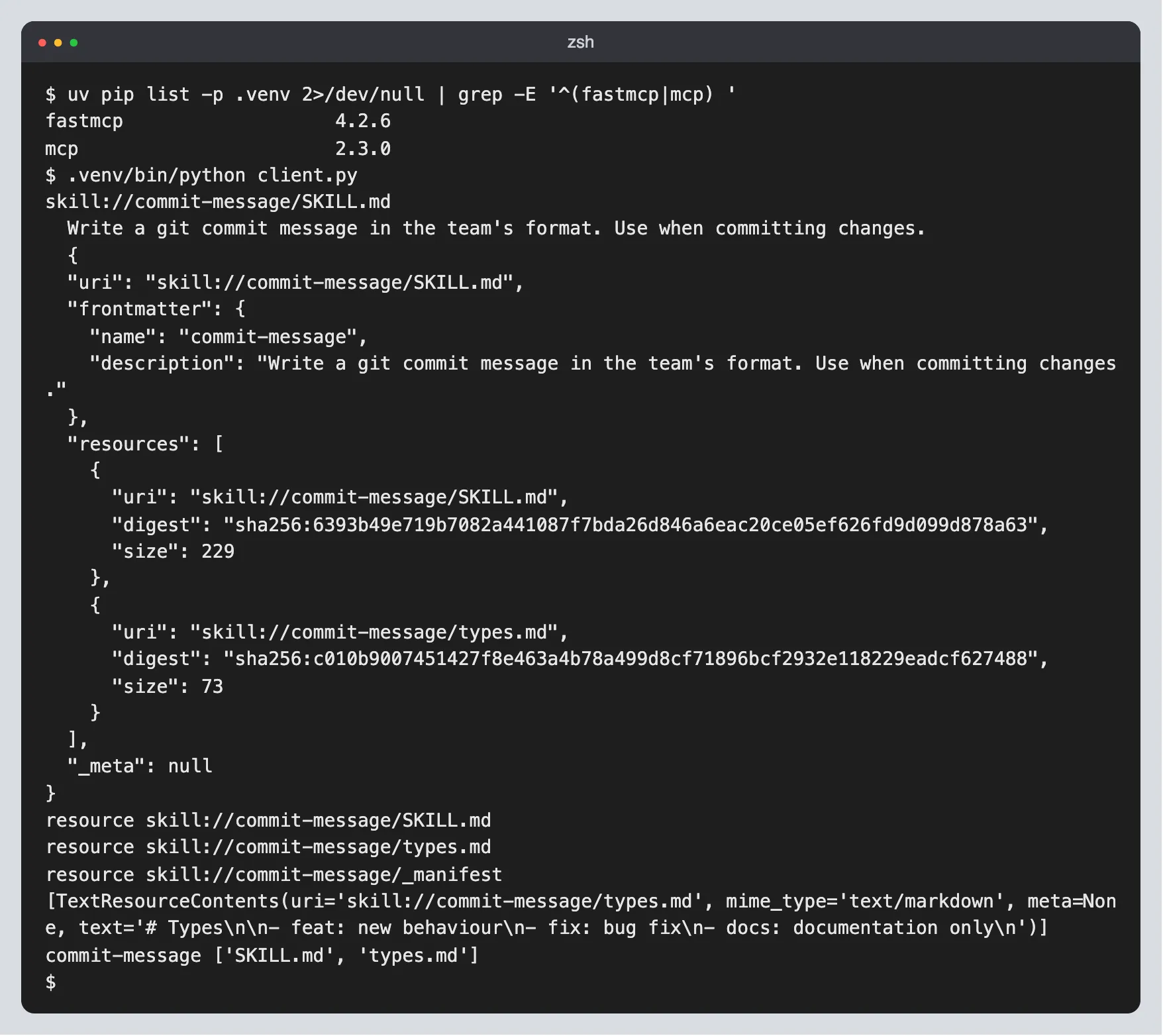
Check the installed versions, then run it:
uv pip list -p .venv 2>/dev/null | grep -E '^(fastmcp|mcp) '.venv/bin/python client.py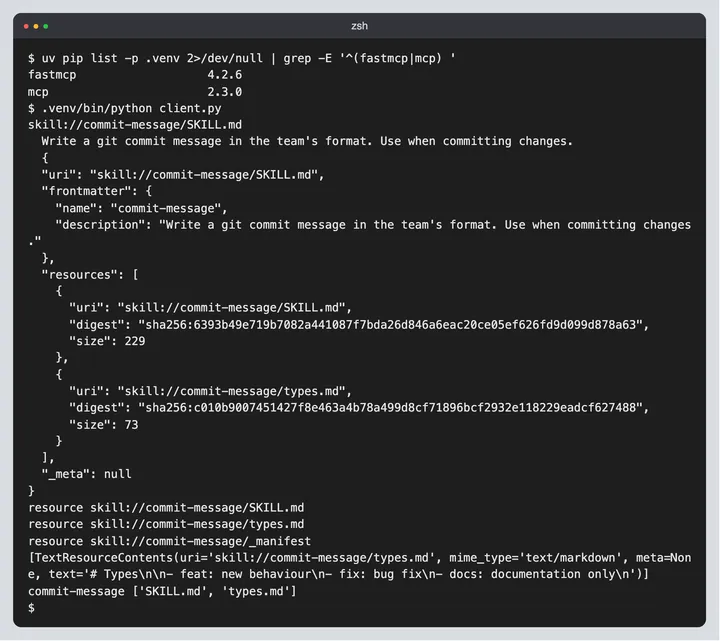
What to look for:
list_skills()returns one entry per skill withuri,frontmatterandresources, where each resource has auri,digestandsize.list_resources()showsskill://commit-message/SKILL.mdandskill://commit-message/types.md. It also showsskill://commit-message/_manifest, which is FastMCP’s own addition and not part of the spec.read_skill()returns aSkillwith the name and the file list['SKILL.md', 'types.md']. According to the FastMCP docs, it checks size, file count and the SHA-256 digests while reading.
The client must opt in
A client created without the extension refuses to use it:
import asyncio
from fastmcp import Client
from server import mcp

async def main():    async with Client(mcp) as client:        try:            await client.list_skills()        except RuntimeError as e:            print(f"{type(e).__name__}: {e}")

asyncio.run(main())
Save it as no_ext.py and run .venv/bin/python no_ext.py. list_skills() raises a RuntimeError, and the script prints its type and message:

The fix is the extensions=[SkillsClientExtension()] argument shown above.
Security rules for hosts
The spec treats skill content as untrusted, because it comes from a server the user may not control. The rules for hosts are:
- No host-side code execution from an MCP skill without explicit approval for that specific skill.
- A skill from server A must not cause reads on server B.
- Ignore
allowed-toolsin the frontmatter unless the user approves it. - Digests are an integrity check, not a trust boundary. They show that the bytes match what the server listed, not that the server is trustworthy.
- Approvals are revoked when the skill’s resource set changes.
If the server is remote, authentication is a separate question; see MCP authorization with OAuth 2.1.
Which SDKs and clients support it
The project keeps a community-maintained implementations list that changes quickly, so check it before you rely on this section. At the time of checking (2026-11-27):
- SDKs: TypeScript, C#, Rust and Ruby are listed, along with FastMCP 4.2.0. Support in the official Python SDK is merged but not yet released.
- Clients: Claude, Claude Code and VS Code are listed as beta. In Claude Code the beta starts at v2.1.331, and skills from a server run as
/<server>:<skill>.
I did not test any of these clients.
FAQ
Is skills over MCP the same as Claude Code skills?
No. They share the Agent Skills format (a SKILL.md with name and description), but local Claude Code skills are read from disk while skills over MCP are delivered by a server as skill:// resources.
Do I need a tool or a skill?
Use a tool when something must run: calling an API, querying a database, changing state. Use a skill when the model needs instructions or reference files, such as a commit format or a review checklist.
Does the server need to declare anything special?
Yes. It must declare resources and add io.modelcontextprotocol/skills under capabilities.extensions. An empty object is valid; add {"directoryRead": true} only if you want clients to use resources/directory/read.
Can a skill from an MCP server run code on my machine?
Not by default. The spec says hosts must not execute code from an MCP skill without explicit per-skill approval, and must treat skill content as untrusted.