# MCP Authorization: Protect an MCP Server with OAuth 2.1
Table of Contents
You put an MCP server on an HTTP port, and now anyone who can reach that port can call your tools. That is the problem MCP authorization solves, and the spec’s answer is OAuth 2.1 plus a small discovery document.
This post covers what the spec requires, how the 401-to-token flow works, and how to wire it up with the Python SDK. I ran a small demo server and show the real curl output. If you’re new to the protocol itself, start with what is an MCP server.
One honest caveat up front: the demo uses a fake hard-coded token and a placeholder issuer (auth.example.com). There is no real authorization server behind it, and I did not run the full authorization code flow. The section on what the SDK does versus what you own says what to plug in for production.
Short answer: what is MCP authorization?
MCP authorization is the part of the spec that lets an MCP server accept requests only from clients holding a valid OAuth 2.1 access token. Per the MCP authorization spec (2026-07-28), your MCP server acts as an OAuth 2.1 resource server and the MCP client acts as an OAuth 2.1 client. The authorization server that issues tokens is out of the spec’s scope.
Authorization is optional. HTTP-based transports SHOULD follow it, while stdio servers SHOULD NOT and should take credentials from the environment instead.
In practice your server does three things:
- Publishes Protected Resource Metadata (RFC 9728) that names its authorization server(s).
- Answers unauthenticated requests with
401and aWWW-Authenticateheader that points at that metadata. - Validates the bearer token on every request, including its audience.
How the MCP OAuth flow works
Here is the sequence, from the first request to an authorized call:
- The client sends a request to the MCP endpoint with no token.
- The server replies
401with aWWW-Authenticateheader containing aresource_metadataURL (and, ideally, thescopeneeded). - The client fetches the Protected Resource Metadata. If the header doesn’t help, it falls back to the well-known URL, either at the root or path-suffixed. Clients MUST support both discovery methods.
- The metadata lists
authorization_servers. The client discovers that server’s endpoints using RFC 8414 or OpenID Connect discovery. The issuer must match. - The client gets a client ID. The spec’s order of preference is: pre-registered credentials, then Client ID Metadata Documents (SHOULD), then Dynamic Client Registration (MAY, marked deprecated), then manual entry by the user.
- The client runs the authorization code flow with PKCE using S256. It must refuse to proceed if the authorization server doesn’t advertise
code_challenge_methods_supported. It also sends theresourceparameter (RFC 8707) in both the authorization and token requests. Authorization servers SHOULD includeiss(RFC 9207) in the authorization response, and the client checks it against the issuer it recorded before sending the code to the token endpoint. - The client sends the token in the
Authorization: Bearerheader on every request. Never in the query string. - The server validates the token, including that it was issued for this server (the audience). Invalid or expired tokens get
401. A valid token with too few scopes gets403witherror="insufficient_scope".
If the user-facing part of steps 5 and 6 is unfamiliar, read OAuth grant types and the authorization code flow first.
Who plays which role
| Role | Who it is in MCP | What it does |
|---|---|---|
| Resource server | Your MCP server | Publishes Protected Resource Metadata, validates tokens, enforces scopes |
| OAuth client | The MCP client (the app hosting the model) | Discovers metadata, uses PKCE, obtains tokens, sends them as Bearer |
| Authorization server | Your identity provider or a self-hosted AS | Authenticates the user, issues access tokens. Out of scope for the spec |
Hands-on: a protected MCP server with the Python SDK
I used mcp 2.3.0, Python 3.12.12, uvicorn 0.54.0 and curl 8.7.1. The server has one tool, add, and requires a bearer token with the mcp:tools scope.
import timefrom pydantic import AnyHttpUrlfrom mcp.server.auth.provider import AccessTokenfrom mcp.server.auth.settings import AuthSettingsfrom mcp.server.mcpserver import MCPServer
RESOURCE = "http://127.0.0.1:8765/mcp"DEMO_TOKEN = "demo-token"  # fake value, for demonstration only

class DemoTokenVerifier:    async def verify_token(self, token: str) -> AccessToken | None:        if token != DEMO_TOKEN:            return None  # -> 401 invalid_token        return AccessToken(            token=token,            client_id="demo-client",            scopes=["mcp:tools"],            expires_at=int(time.time()) + 3600,            resource=RESOURCE,        )

mcp = MCPServer(    "auth-demo",    token_verifier=DemoTokenVerifier(),    auth=AuthSettings(        issuer_url=AnyHttpUrl("https://auth.example.com"),        resource_server_url=AnyHttpUrl(RESOURCE),        required_scopes=["mcp:tools"],        validate_token_resource=True,    ),)

@mcp.tool()def add(a: int, b: int) -> int:    """Add two numbers."""    return a + b

if __name__ == "__main__":    mcp.run(transport="streamable-http", host="127.0.0.1", port=8765)
Two pieces do the work. A TokenVerifier is any object with an async verify_token(token) that returns an AccessToken or None. AuthSettings tells the SDK which issuer to advertise, what your server’s own URL is, and which scopes are required.
Start it:
python server.pyFor the requests below I saved an MCP initialize message (protocol version 2025-06-18) as init.json:
{ "jsonrpc": "2.0", "id": 1, "method": "initialize", "params": { "protocolVersion": "2025-06-18", "capabilities": {}, "clientInfo": { "name": "curl", "version": "0" } }}Run a: no token
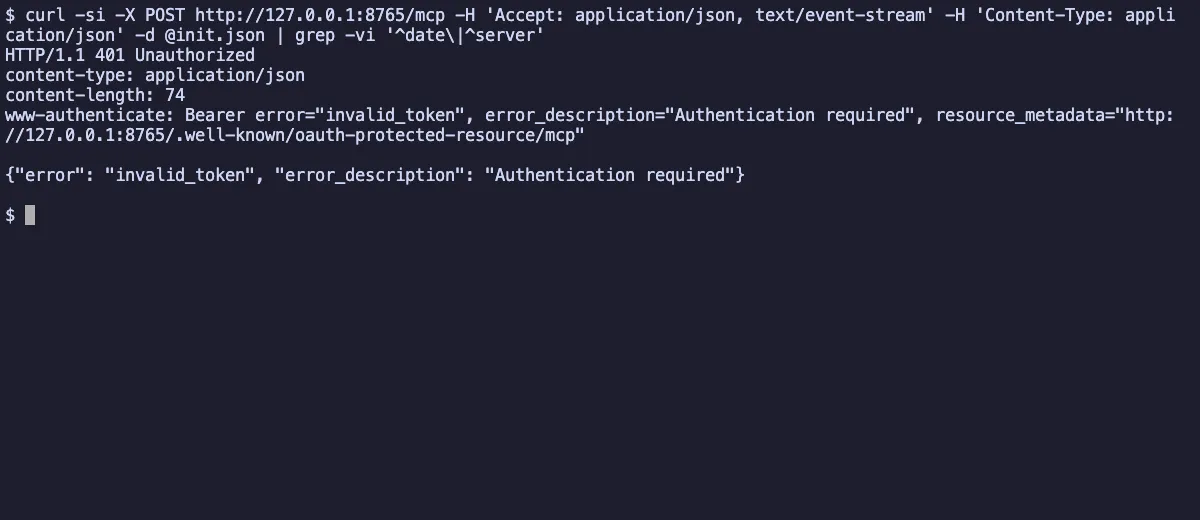
curl -si -X POST http://127.0.0.1:8765/mcp \ -H 'Accept: application/json, text/event-stream' \ -H 'Content-Type: application/json' \ -d @init.jsonHTTP/1.1 401 Unauthorizedwww-authenticate: Bearer error="invalid_token", error_description="Authentication required", resource_metadata="http://127.0.0.1:8765/.well-known/oauth-protected-resource/mcp"
{"error": "invalid_token", "error_description": "Authentication required"}This is step 2 of the flow. The resource_metadata URL in the header is where a client goes next.
Run b: fetch the Protected Resource Metadata
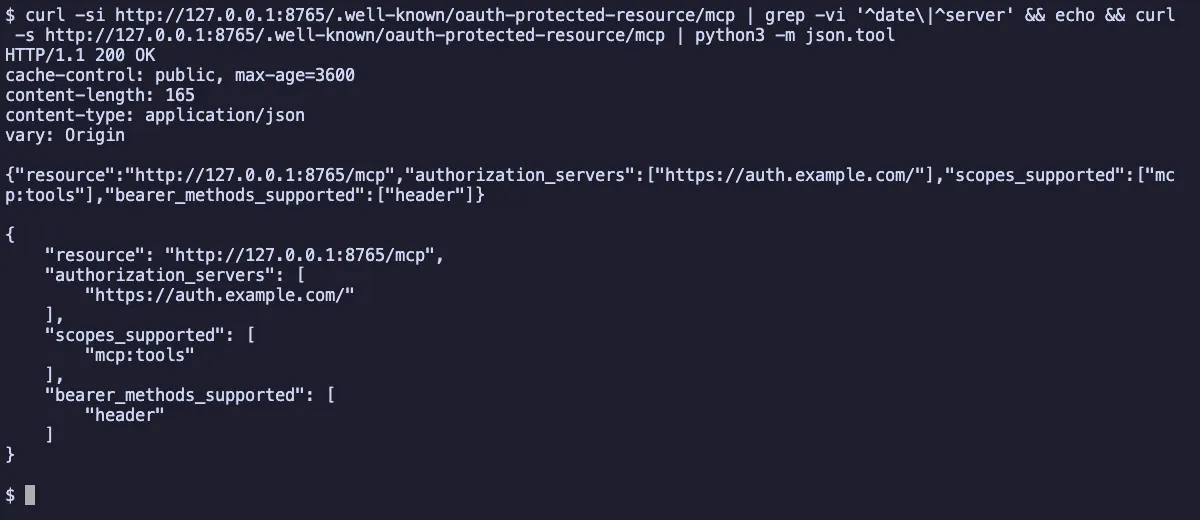
curl -si http://127.0.0.1:8765/.well-known/oauth-protected-resource/mcpThe response is 200 with cache-control set to public and max-age=3600, and this body:
{ "resource": "http://127.0.0.1:8765/mcp", "authorization_servers": ["https://auth.example.com/"], "scopes_supported": ["mcp:tools"], "bearer_methods_supported": ["header"]}A real client would now read authorization_servers and go discover that server’s endpoints. Mine points at a placeholder, so this is where the demo stops being a full flow.
Run c: a wrong token
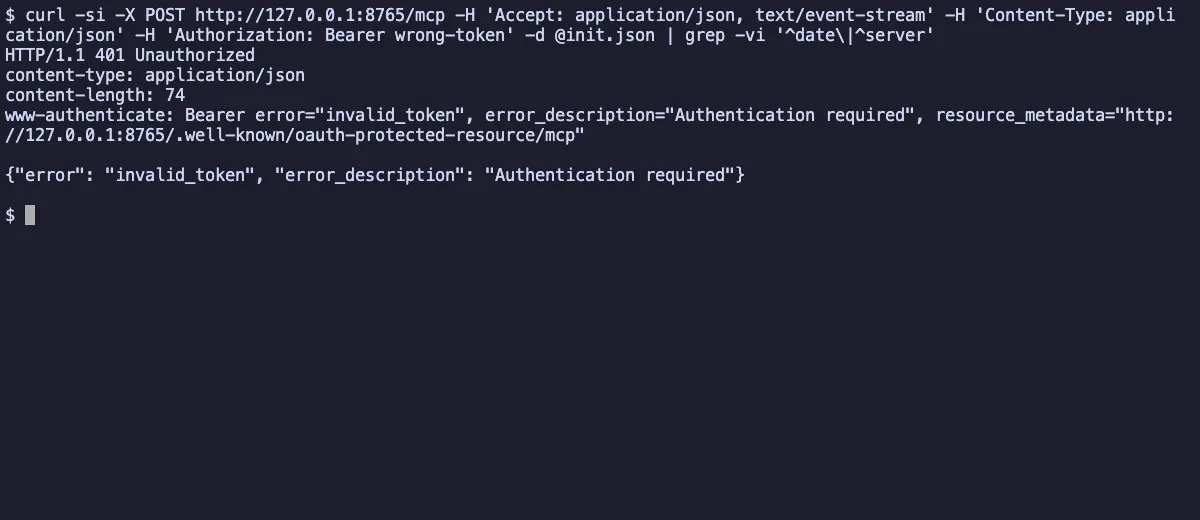
Same request as run a, with -H 'Authorization: Bearer wrong-token' added. The result is a 401 with headers and body identical to run a. The server doesn’t say “your token is wrong” in a different way. It just says authentication is required and points back at the metadata.
Run d: the demo token
Again the same request, this time with -H 'Authorization: Bearer demo-token'. The server answers 200 with content-type: text/event-stream and an mcp-session-id header. The event carries the initialize result:
event: messagedata: {"jsonrpc":"2.0","id":1,"result":{"capabilities":{"prompts":{"listChanged":false},"resources":{"listChanged":false,"subscribe":false},"tools":{"listChanged":false}},"protocolVersion":"2025-06-18","serverInfo":{"name":"auth-demo","version":""}}}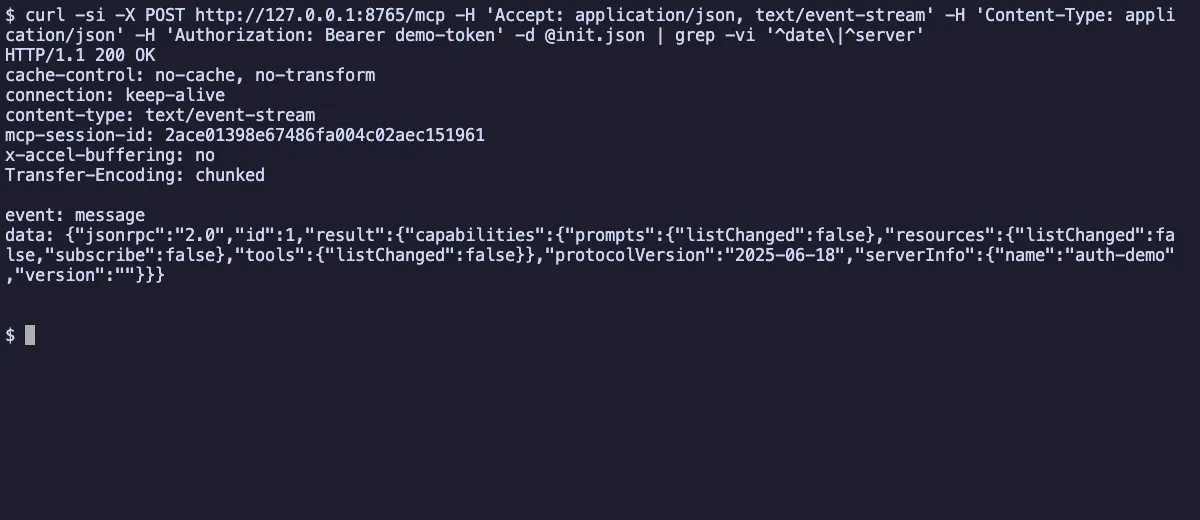
What the SDK does vs what you own
The SDK handles the HTTP plumbing:
BearerAuthBackendandRequireAuthMiddlewareread theAuthorizationheader. They return401for a bad or missing token and403when a required scope is missing. I did not run the403case or atools/callin this demo.- It adds the Protected Resource Metadata route automatically, built from your
AuthSettings.
You own everything that makes the token mean something:
- Real verification. My
DemoTokenVerifiercompares a string. In production,verify_tokenshould validate a signed JWT (signature, issuer, expiry) or call your authorization server’s token introspection endpoint. For the JWT route, see JWT authentication explained. - Audience. The spec says the server MUST validate that the token was issued for it. Fill in
AccessToken.resourcefrom the token’s audience or resource claim, and keepvalidate_token_resource=True. - Scopes. Decide what
required_scopesshould be, and what each scope allows. Return the scopes the token actually carries. - The authorization server. Pick one, point
issuer_urlat it, and make sure it supports PKCE with S256. Registering clients is its job and the client’s, not your resource server’s.
Gotchas I hit
- A wrong token gets 401, not 403.
403is for a valid token that lacks a required scope (insufficient_scope). An unknown or invalid token is401, as run c shows. - The metadata lives only at the path-suffixed URL. My server’s endpoint is
/mcp, so the metadata is at/.well-known/oauth-protected-resource/mcp. The root/.well-known/oauth-protected-resourcereturned404. Clients must try both, but don’t test only the root and conclude it’s broken. - The issuer gained a trailing slash in my run. I passed
https://auth.example.comand the metadata came back withhttps://auth.example.com/. I only report what I saw and did not dig into why. The spec requires the issuer to match during discovery, so with a real authorization server, setissuer_urlto exactly the issuer string it publishes. validate_token_resourcewarns if you leave it unset. The SDK emits a deprecation warning, because the default becomesTruein 3.0. Set it explicitly now.
MCP server security checklist
- Serve over HTTPS in production. My demo uses plain HTTP on
127.0.0.1only for local testing. - Validate the signature, expiry, issuer and audience of every token, on every request.
- Return
401for invalid or expired tokens and403withinsufficient_scopefor missing scopes. Includescopeon the401where you can. - Accept tokens only in the
Authorization: Bearerheader, never in the query string. - Never pass the client’s token on to upstream APIs. If your tool calls another service, get a separate token for that service.
- Pick the narrowest scopes that work, and check them per tool if the tools differ in risk.
- Keep secrets out of
server.py. Thedemo-tokenin this post is fake on purpose. - Read the spec’s security considerations page before shipping.
If your server exposes powerful local tooling, such as in the Ghidra MCP reverse engineering setup, this is even more important.
FAQ
Is MCP authorization required?
No. The spec makes authorization optional. HTTP-based transports SHOULD follow it, but if your server only listens on a private machine or you control every client, you may choose otherwise. Anything reachable over a network should have it.
Does MCP use OAuth 2.1?
Yes. The MCP server is an OAuth 2.1 resource server and the MCP client is an OAuth 2.1 client. Clients must use PKCE with S256 and send the resource parameter from RFC 8707.
What is Protected Resource Metadata?
It’s a JSON document (RFC 9728) that your server publishes to say which authorization servers it trusts. The one in run b contains resource, authorization_servers, scopes_supported and bearer_methods_supported. Clients find it through the resource_metadata URL in the 401 response or at a well-known path.
Does a stdio MCP server need OAuth?
No. The spec says stdio transports SHOULD NOT follow the HTTP authorization flow and should take credentials from the environment instead.
Is Dynamic Client Registration still supported?
Yes, but as a MAY and marked deprecated. The spec’s preferred order is pre-registered credentials, then Client ID Metadata Documents, then DCR, then manual entry.
Can my MCP server forward the user’s token to another API?
No. The spec says servers MUST NOT pass tokens through to upstream APIs. Use a separate credential for any downstream service.