GeekCoding101
Most kubectl mistakes I want to avoid come down to one question: which cluster and namespace is this command about to hit? Contexts are how kubectl answers that, and kubectl config set-context is the command that builds and edits them.
This post walks through creating, editing and overriding contexts in a safe local lab, then covers habits that keep you out of trouble on real clusters. If you are new to kubectl itself, start with Kubernetes on a Mac.
Short answer: kubectl config set-context vs use-context
kubectl config set-context creates a context or edits an existing one. kubectl config use-context selects which context kubectl uses by default. Editing a context with set-context does not switch to it, unless you edit the one that is already current.
According to the official kubectl config set-context reference, fields you supply are merged into an existing context, and --current modifies the current context.
Commands at a glance
| Goal | Command |
|---|---|
| Create a context | kubectl config set-context NAME --cluster=CLUSTER --user=USER --namespace=NS |
| Switch to a context (kubectl use-context) | kubectl config use-context NAME |
| Change the namespace of a named context | kubectl config set-context NAME --namespace=NS |
| Change the namespace of the current context | kubectl config set-context --current --namespace=NS |
| List contexts | kubectl config get-contexts |
| Show the current context | kubectl config current-context |
| Run one command against another context | kubectl --context=NAME ... |
| Remove a namespace default | kubectl config unset contexts.NAME.namespace |
What a kubectl context is
A context is a named bundle in your kubeconfig file: a cluster, a user (credentials), and optionally a default namespace. It is only a local mapping on your machine. Creating or editing a context does not create anything in a cluster and does not contact it.
The kubeconfig also stores a current-context value, which says which bundle kubectl uses when you do not say otherwise. For how kubeconfig files are located and merged, see the official organize cluster access with kubeconfig page.
1. Keep the lab away from your real kubeconfig
I ran everything below on macOS on 2026-11-09 with kubectl v1.35.0 (Kustomize v5.7.1). The kubeconfig lived in a temporary directory, the server address was the fake https://example.invalid, the user was an empty placeholder, and no real cluster was contacted.
To reproduce that, point KUBECONFIG at a throwaway file before you run anything:
export KUBECONFIG="$(mktemp -d)/config"KUBECONFIG can also list several files separated by colons, and kubectl merges them. You can use the --kubeconfig flag to point a single command at one file instead. Both are described on the kubeconfig page linked above. Close the terminal (or unset KUBECONFIG) when you are done and your real config is untouched.
2. Create two contexts with kubectl config set-context
A context refers to a cluster and a user, so I first defined both, then created dev and prod contexts that share them and differ only in namespace. Then I switched to dev with use-context.
kubectl version --clientkubectl config set-cluster demo --server=https://example.invalidkubectl config set-credentials demo-userkubectl config set-context dev --cluster=demo --user=demo-user --namespace=devkubectl config set-context prod --cluster=demo --user=demo-user --namespace=prodkubectl config use-context devkubectl config get-contextsClient Version: v1.35.0Kustomize Version: v5.7.1Cluster "demo" set.User "demo-user" set.Context "dev" created.Context "prod" created.Switched to context "dev".CURRENT NAME CLUSTER AUTHINFO NAMESPACE* dev demo demo-user dev prod demo demo-user prod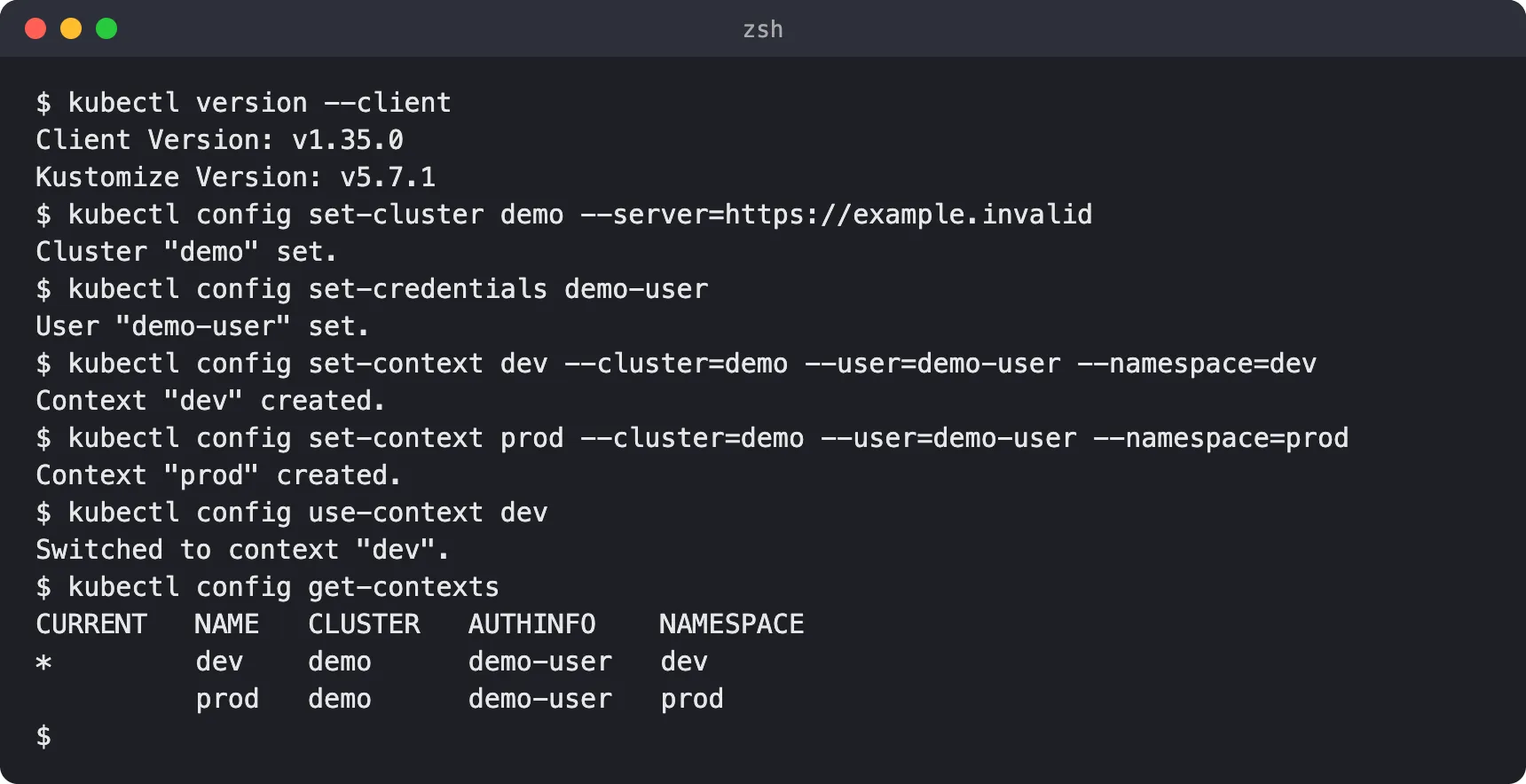
The * in the CURRENT column marks the context kubectl will use. Note the two “created” messages: set-context reports “created” for a new name.
3. Change the namespace of a context (set-context —current —namespace)
To change the default namespace for a named context, run set-context again with just the field you want to change. Because supplied fields are merged, the cluster and user stay as they were.
kubectl config set-context dev --namespace=team-akubectl config get-contextskubectl config current-contextContext "dev" modified.CURRENT NAME CLUSTER AUTHINFO NAMESPACE* dev demo demo-user team-a prod demo demo-user proddevWhen you want to change the namespace of whatever context is active, you do not need to know its name. Add --current, then read the value back with --minify, which limits the output to the current context:
kubectl config set-context --current --namespace=team-bkubectl config view --minify -o jsonpath='{.contexts[0].context.namespace}{"\n"}'Context "dev" modified.team-b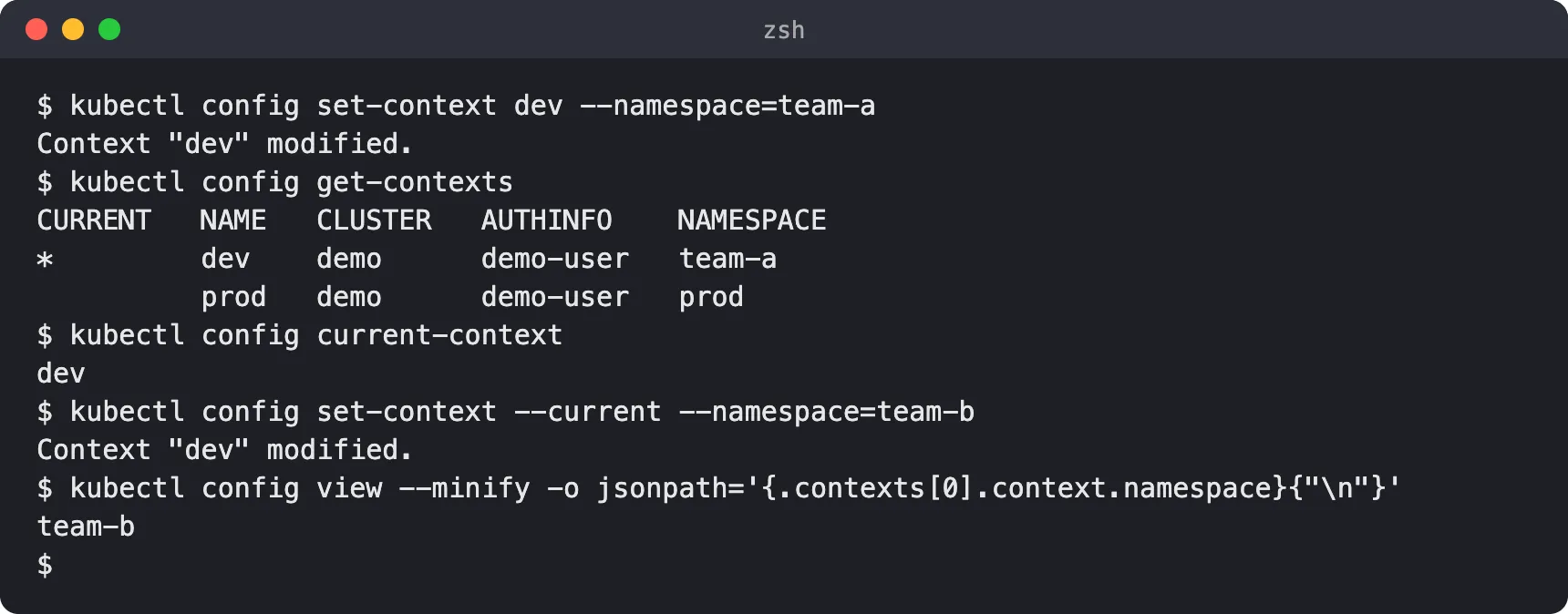
This is the usual answer to “kubectl set namespace for context”: there is no separate command, it is set-context with --namespace.
4. Use a context for one command without switching
The --context flag runs a single command against another context and leaves current-context alone. Here I asked for the prod context while dev stayed selected:
kubectl --context=prod config view --minify -o jsonpath='{.contexts[0].name}{" "}{.contexts[0].context.namespace}{"\n"}'kubectl config current-contextkubectl config get-contextsprod proddevCURRENT NAME CLUSTER AUTHINFO NAMESPACE* dev demo demo-user team-b prod demo demo-user prod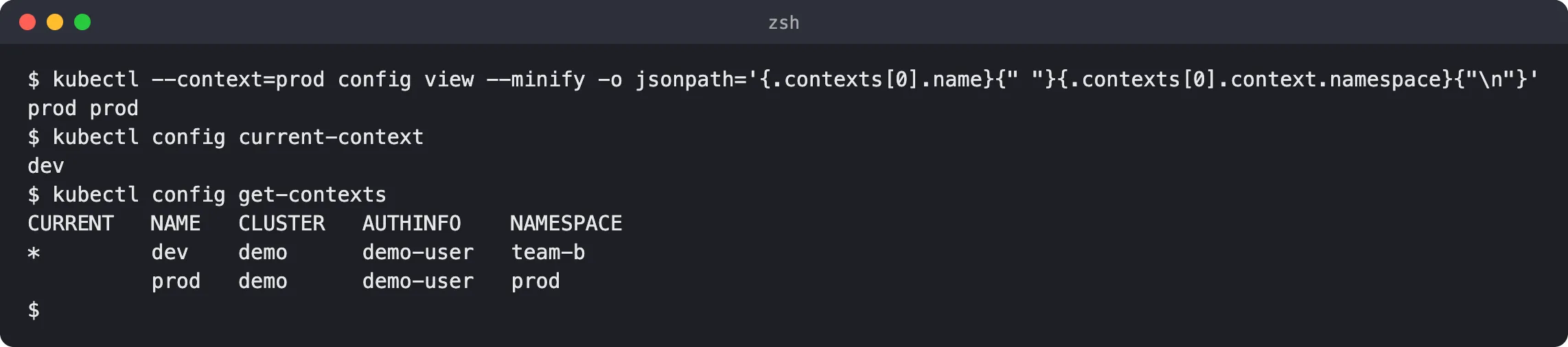
The first line shows kubectl resolved the prod context and its namespace. Afterwards, current-context is still dev. This is the safest way to touch another cluster, because nothing lingers after the command finishes.
5. What happens with a typo, and how to remove a namespace default
Switching to a context that does not exist fails and leaves the current context unchanged. I added echo "exit=$?" to show the exit code:
kubectl config use-context missing; echo "exit=$?"kubectl config current-contexterror: no context exists with the name: "missing"exit=1devTo remove a namespace default from a context, unset the property. Without a namespace, kubectl falls back to default.
kubectl config unset contexts.dev.namespacekubectl config view --minifyProperty "contexts.dev.namespace" unset.apiVersion: v1clusters:- cluster: server: https://example.invalid name: democontexts:- context: cluster: demo user: demo-user name: devcurrent-context: devkind: Configusers:- name: demo-user user: {}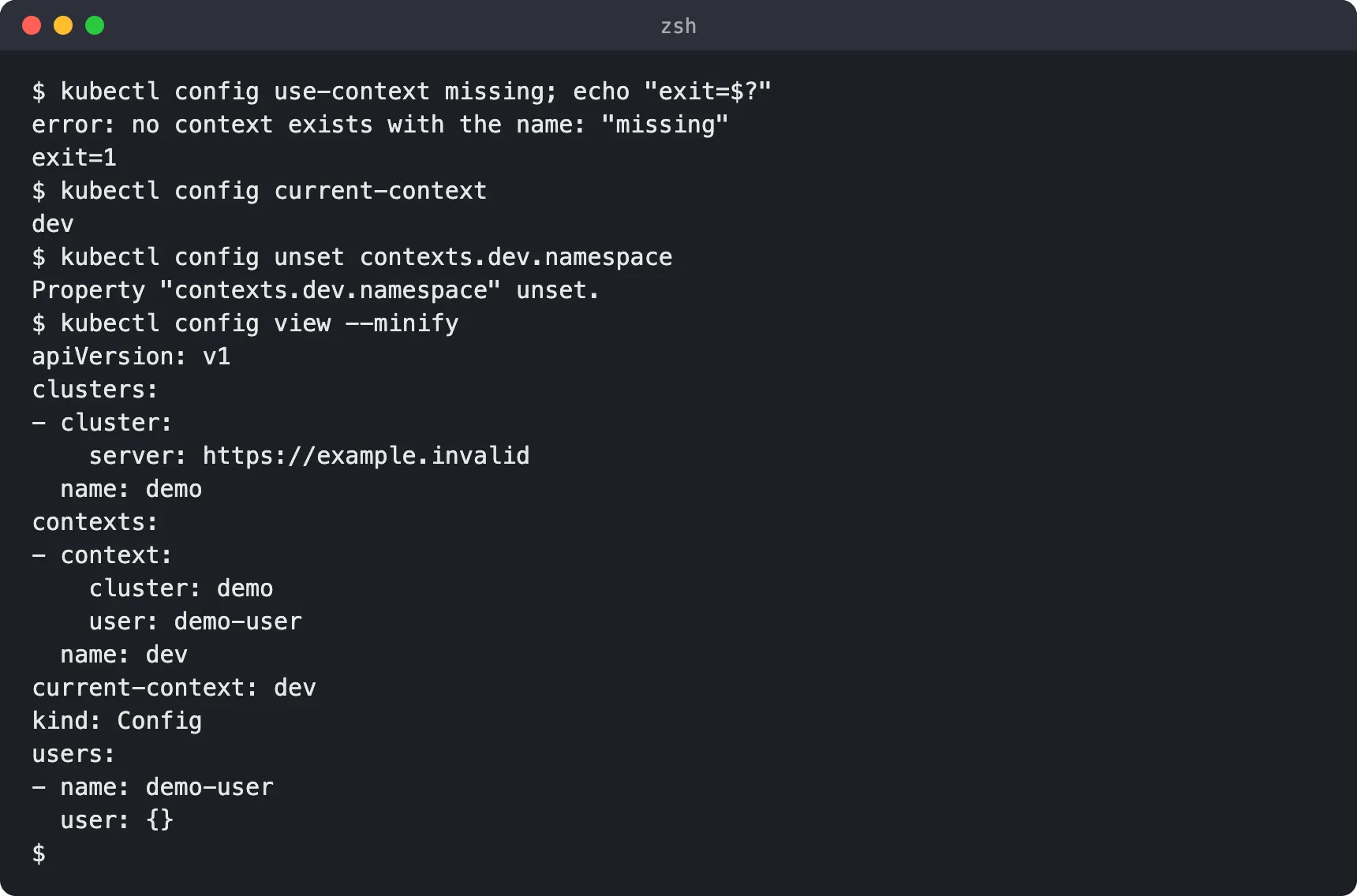
The dev context entry now has only cluster and user, with no namespace line.
Safety habits for real clusters
- Check before destructive commands. Run
kubectl config current-contextbeforedelete,applyordrain. It is one short command and it prints one word. - Prefer explicit
--contextin scripts. A script that relies on whatever was selected last will eventually run against the wrong place.kubectl --context=NAME ...makes the target part of the command. - Name contexts clearly. Names like
prod-eu-adminandstaging-readonlybeatcluster1when you are tired. - Show the context in your shell prompt. Many people add the current context and namespace to their prompt so the answer is always visible. Choose any approach you trust.
- Keep a namespace default per context so you do not forget
-nand land indefault.
If you want to understand what the cluster side looks like, see Kubernetes control plane components and cluster setup. The official multi-cluster configuration walkthrough is also worth reading.
Troubleshooting
”error: current-context is not set”
kubectl prints error: current-context is not set when the kubeconfig has no current-context, often because it is new or empty. Run kubectl config get-contexts to see what exists, then kubectl config use-context NAME.
I changed a context but requests still go elsewhere
Check what overrides it:
- A
--context,--namespaceor--kubeconfigflag in the command, or in a shell alias or wrapper. - A
KUBECONFIGvariable pointing at a different file, or listing several files that are merged. See the kubeconfig page for precedence rules. - Editing a different context than the active one.
set-context NAMEdoes not switch toNAME.
kubectl config view --minify shows what kubectl resolved for the current context.
The context exists but the API call fails
A valid context only means the local entry is well formed. Connectivity (server address, network, VPN) and authentication (credentials, expiry) are separate problems. In my lab, https://example.invalid is deliberately unreachable, so any real API call would fail by design.
FAQ
What is the difference between kubectl set-context and use-context?
set-context creates or edits a context entry. use-context selects which context is current. Creating a context does not select it.
How do I change the default namespace?
Run kubectl config set-context --current --namespace=NS for the active context, or kubectl config set-context NAME --namespace=NS for a named one.
How do I list contexts?
Run kubectl config get-contexts. The * in the CURRENT column marks the active one.
How do I delete a context?
Use kubectl config delete-context NAME. I did not run it in this lab, so I have no output to show for it.
Does set-context create a cluster or user?
No. It only references a cluster and user by name. Define those with kubectl config set-cluster and kubectl config set-credentials, as in step 2.
How do I see the current namespace?
Run kubectl config view --minify -o jsonpath='{.contexts[0].context.namespace}{"\n"}'. An empty line means no namespace is set, so kubectl uses default.